your work deserves to be seen


shōmei (証明, pronounced "shoh-may") means "proof" in Japanese. because sometimes you just need proof that you weren't on vacation for the past year.
this CLI tool mirrors your corporate commits to your personal GitHub. no code, no secrets, just timestamps. your contribution graph gets the credit it deserves, and your company's IP stays safe.
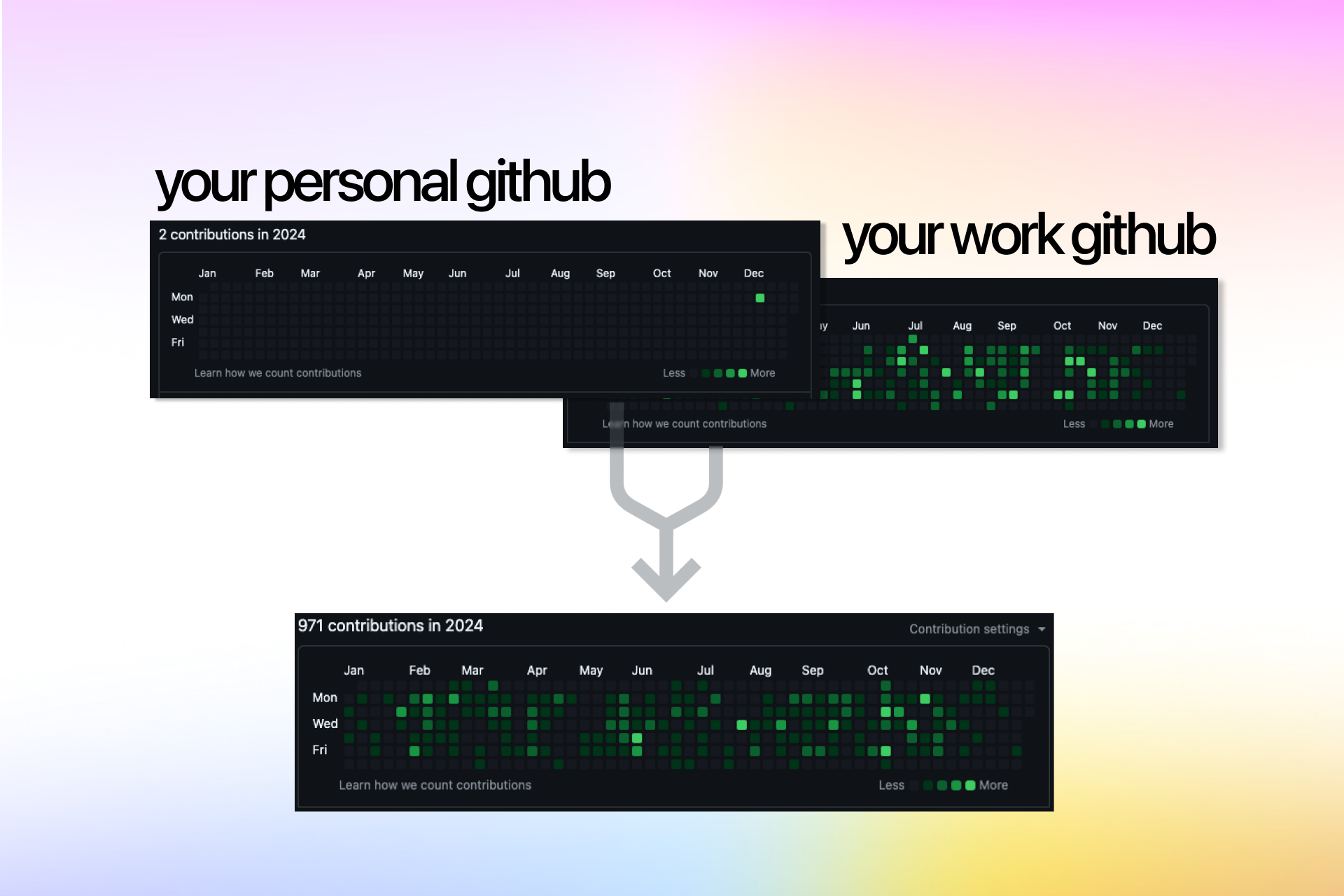
you've probably seen posts like this:
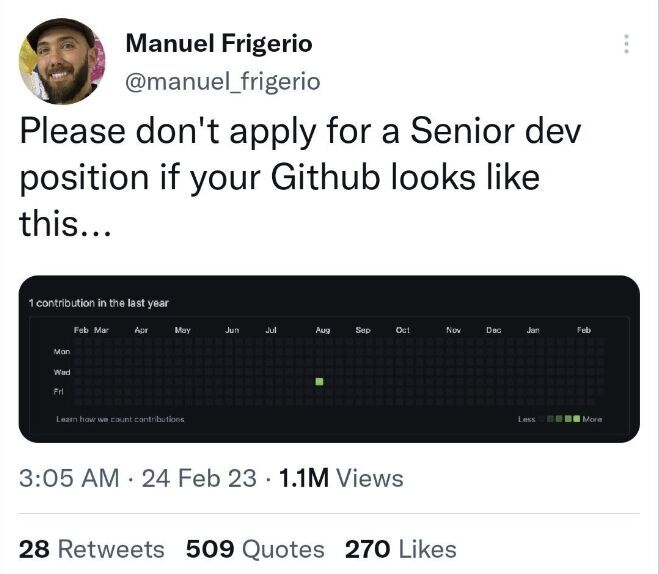
look, we all know GitHub's green squares don't define you as a developer. but when you're job hunting and your profile looks dead because you've been shipping code from a work account? that's annoying.
lots of developers use separate emails for work, and when they leave a company, their personal profile makes it look like they took a year off. recruiters don't always get it. this tool is for those times when you just want your graph to reflect reality.
shōmei fixes this. safely.
- zero IP leakage - creates empty commits with just dates, no code
- dead simple - one command, that's it
- contribution proof - updates your GitHub graph to show you were actually working
- your commits only - filters by your email, won't touch anyone else's work
- dry-run mode - preview before you commit (pun intended)
- private repos - option to mirror to a private repo if you want
pip install shomei# go to any repo where you've been committing with your work email
cd ~/work/cool-project
# run shomei
shomei
# follow the prompts, it'll ask for:
# - your personal GitHub username
# - what to call the mirror repo
# - your GitHub personal access token
# that's it! check your contribution graph in a few minutes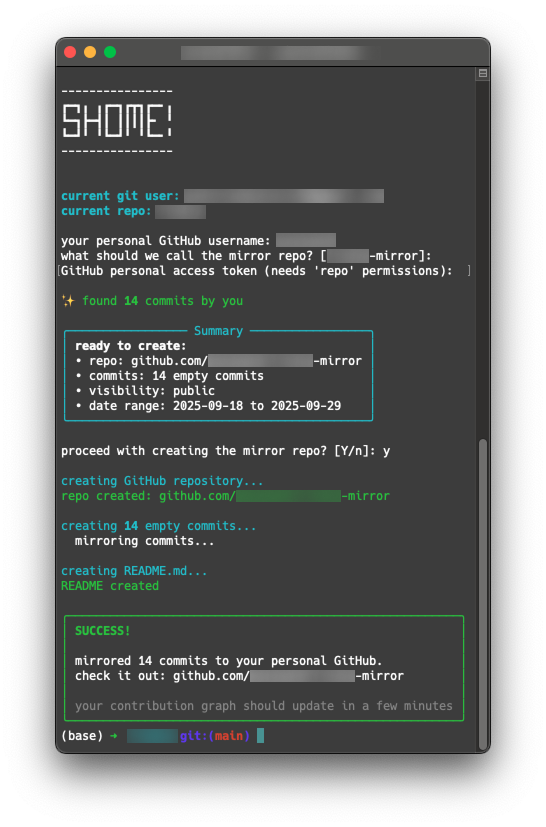
# check your shomei version
shomei --version

# preview what would happen (no changes made)
shomei --dry-run

# create a private mirror repo
shomei --private- scans your git log for commits with your email
- extracts just the commit dates (nothing else!)
- creates a new repo on your personal GitHub
- uses GitHub's API to create empty commits with those dates
- generates a beautiful README for your mirrored repo
- boom, your contribution graph now shows your real activity
important: no code ever leaves your machine. we only send timestamps to GitHub's API. your company's IP stays exactly where it is.
shōmei works with both classic and fine-grained personal access tokens. choose the option that works best for you:
- go to GitHub Settings → Developer settings → Personal access tokens → Tokens (classic)
- click "Generate new token (classic)"
- give it a name like "shomei"
- check the
repocheckbox (this gives full repository access) - set an expiration date (or "No expiration" if you prefer)
- generate and copy the token
- use it when shomei asks for it
fine-grained tokens offer more security through granular permissions. here's how to set one up:
- go to GitHub Settings → Developer settings → Personal access tokens → Fine-grained tokens
- click "Generate new token"
- give it a name like "shomei"
- set an expiration date
- repository access:
- select "All repositories" (if you want to mirror any repo)
- OR select "Public Repositories (read and write)" (if you only mirror public repos)
- important: do NOT select "Only select repositories" unless you manually create the repo first (see option 3)
- permissions → account permissions:
- scroll down to find "Administration"
- set it to "Read and write"
- this permission allows shomei to create repositories on your account
- generate and copy the token
- use it when shomei asks for it
for maximum security, you can manually create the mirror repo first and use a token with access to ONLY that repo:
-
create the mirror repo manually:
- go to github.com/new
- create a repo (e.g., "my-work-mirror")
- make it public or private (your choice)
-
create a fine-grained token with minimal permissions:
- go to GitHub Settings → Developer settings → Personal access tokens → Fine-grained tokens
- click "Generate new token"
- give it a name like "shomei-restricted"
- set an expiration date
- repository access: select "Only select repositories" → choose your mirror repo
- permissions → repository permissions:
- set "Contents" to "Read and write"
- that's it! no Administration permission needed
- generate and copy the token
-
run shomei:
- when prompted for the repo name, use the SAME name as your manually-created repo
- shomei will detect the existing repo and add commits to it
- your token only has access to that one repo - nothing else!
pro tip: save the token somewhere safe (like a password manager). GitHub only shows it once.
- no need to manually create the mirror repository - shomei creates it automatically for you. if you create it manually, you may encounter permission errors. be sure to use option 3 if you go this way.
- if you get an error like "resource not accessible by personal access token", your token is missing the Administration permission MOST LIKELY (for fine-grained tokens) or the repo scope (for classic tokens).
got ideas? found a bug? want to add a feature? hell yeah, we'd love your help!
check out CONTRIBUTING.md for how to get started.
quick version:
- fork it
- make your changes
- test it
- send a PR
we're super chill about contributions. if you're not sure about something, just open an issue and ask!
# clone
git clone https://github.com/petarran/shomei.git
cd shomei

# install in dev mode
pip install -e .

# run it
shomei --helpQ: Is this safe? A: yes. shomei only sends commit dates to GitHub's API. no code, no commit messages (beyond "ci(shōmei): sync work contribution"), no file names. your company's IP never touches the internet.
Q: Will this get me in trouble? A: we're not lawyers, but: you're not exposing any proprietary code or information. just timestamps. that said, check your company's policies if you're worried.
Q: Does this work with private repos?
A: yep! use the --private flag to create a private mirror repo.
Q: What if I want to delete everything later? A: just delete the mirror repo from GitHub. your original work repo is never touched.
Q: Can I customize the commit messages? A: not yet, but that's a great idea! open an issue or PR if you want to add this.
Q: Why not just change the git config on my work repos? A: because then you'd be committing to company repos with your personal email, which might break things or violate policies. shomei keeps everything separate.
Q: I'm getting "resource not accessible by personal access token" error. What's wrong? A: this happens when your GitHub token doesn't have the right permissions. you have two options:
- option 1: use a token with broader permissions (Administration: Read and write for fine-grained, or
reposcope for classic) - option 2 (more secure): manually create the mirror repo first, then use a fine-grained token with "Only select repositories" access to just that repo. shomei will detect the existing repo automatically!
see the github token setup section for detailed instructions on both approaches.
Q: Does shomei support fine-grained personal access tokens? A: now we do lol! shomei works with both classic and fine-grained tokens. fine-grained tokens are more secure and give you better control over permissions. see the setup guide above for instructions.
Q: Can I use an existing repository instead of creating a new one? A: absolutely! just create the repo manually on GitHub first, then run shomei with the same repo name. shomei will detect the existing repo and add commits to it. this is perfect if you want to use a fine-grained token with "Only select repositories" access - no Administration permission needed, just Contents: Read and write!
MIT - do whatever you want with it.
shōmei is a tool to help developers showcase their work. use it responsibly:
- no company code or secrets are exposed (we only send dates)
- always check your employment agreement if you're paranoid
- the authors aren't responsible if you use this in weird ways
⚠️ Important: According to GitHub's Terms of Service, "One person or legal entity may maintain no more than one free Account." shōmei is designed to work with your personal GitHub account and paid/work accounts. Using this tool to sync commits across multiple free accounts would violate GitHub's ToS.
built with:
made with love for developers who actually ship code
if this helped you, give it a star on GitHub!