Releases: story-apps/starc
Release 0.7.8

Hello, my dear ones! 🤗
We’ve prepared a powerful update for you - Story Architect 0.7.8 with new features, improvements to existing ones, and of course, bug fixes.
Presentation Module
Yes, now you can also add presentations in PDF format to the document library of your projects.
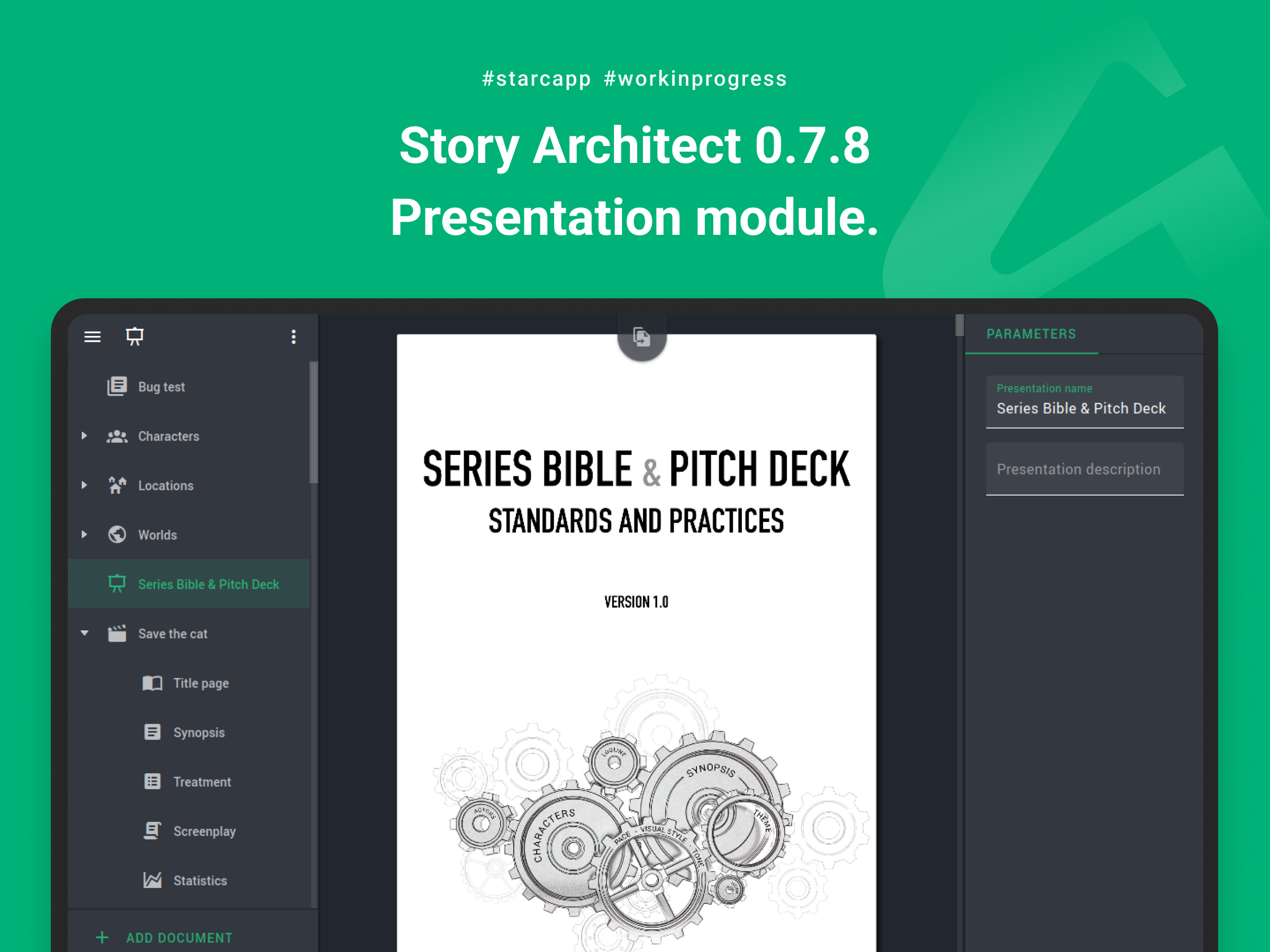
You can set a title and a description for context for the future, and if necessary, re-upload it with a new version.
The ability to add presentations to projects is available to users starting from the PRO version.
Track Changes Mode
Track Changes Mode now works exactly as its name suggests. All additions are marked with a specified color, and deletions are marked in red.
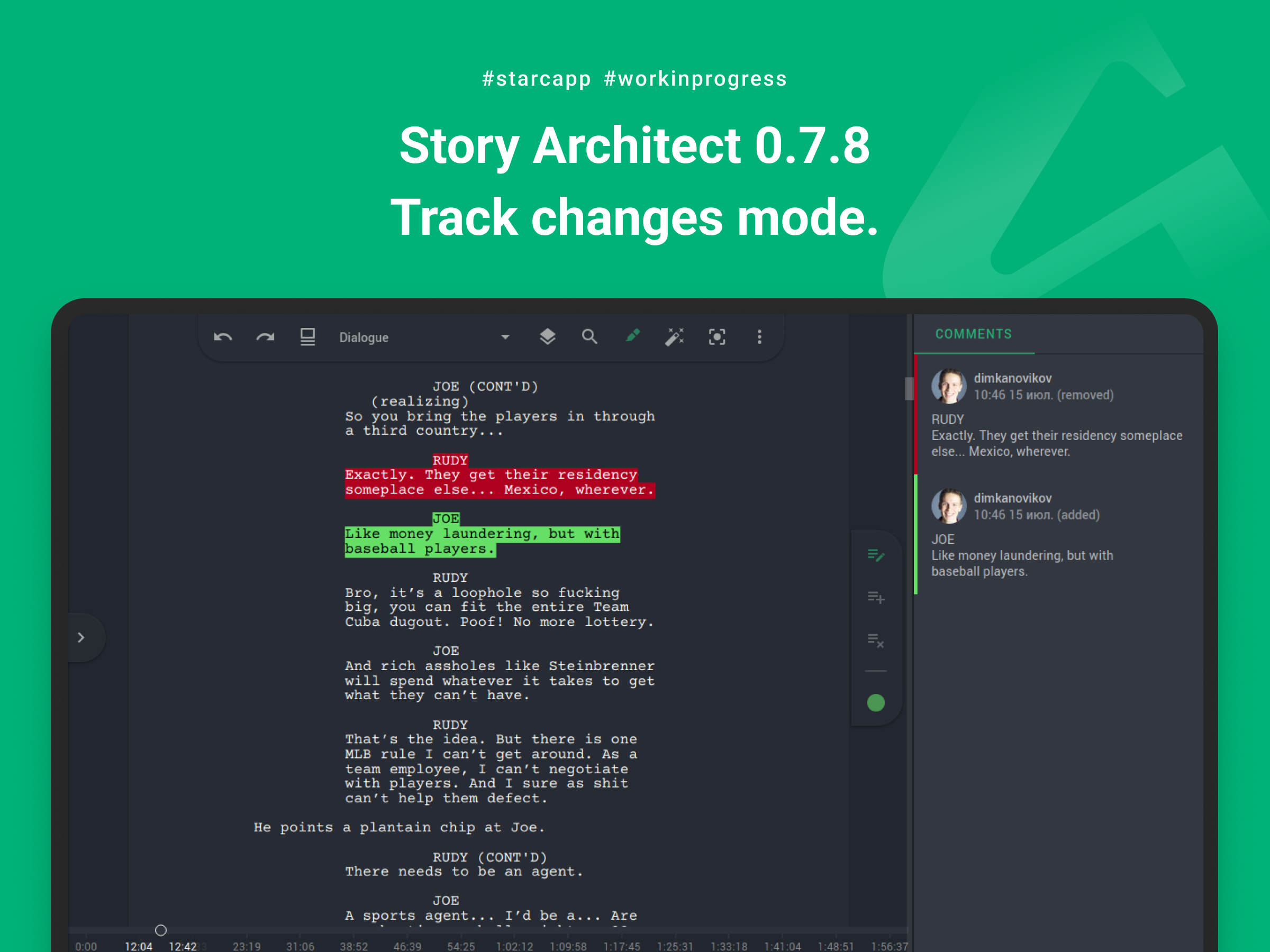
After that, the changes can be either applied or reverted in the right panel of the review mode.
Translation of the entire document text
The AI assistant has been enhanced with a full-document translation feature. Now, any text document in the application — whether it is a script, play, or novel — can be translated into any language while fully preserving the formatting.
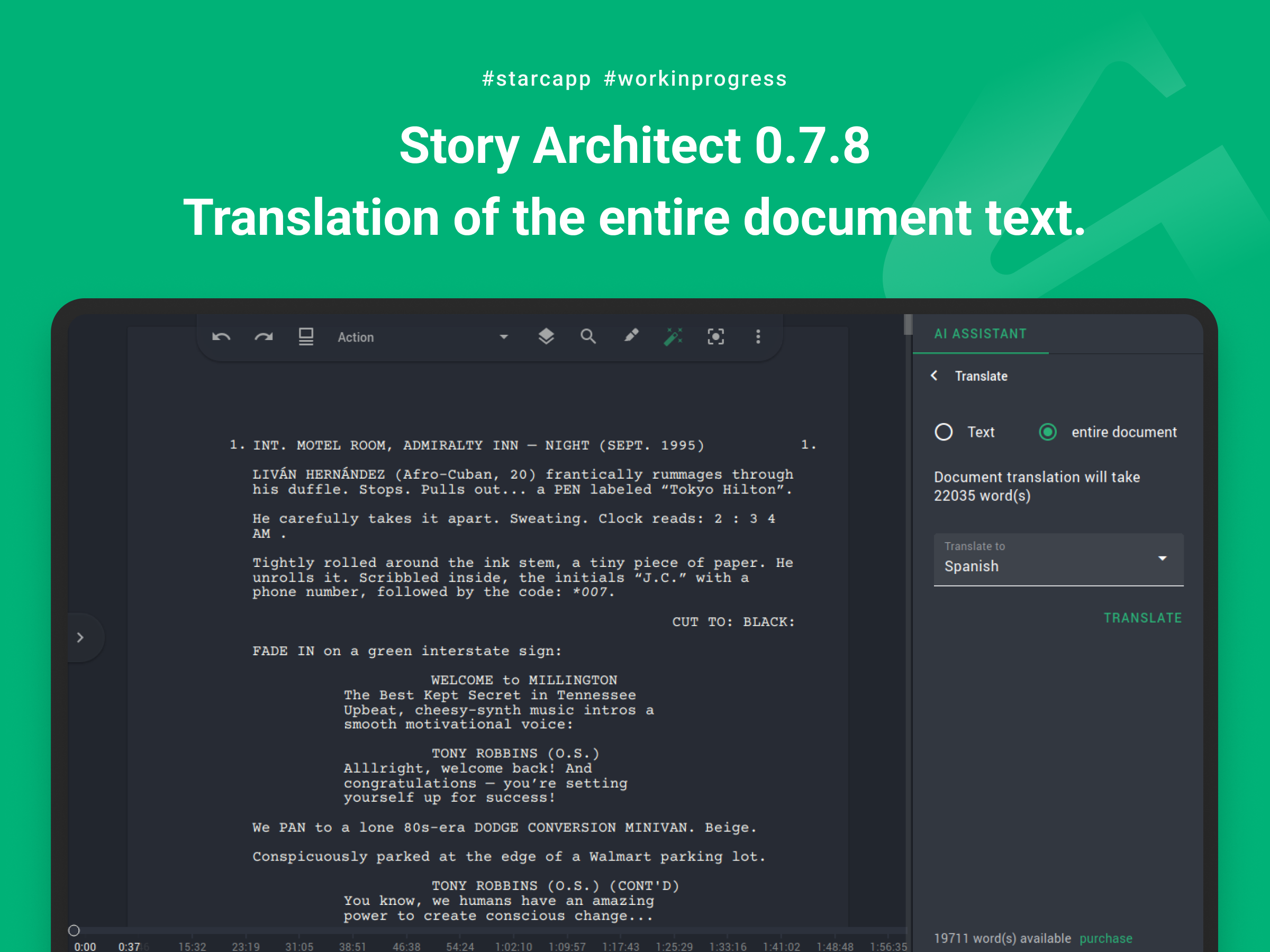
Machine translation is certainly not a cure-all, but as a tool for speeding up work by providing a first draft of the translation, it can save a ton of time.
Exporting worlds
And for dessert, we have the option to export worlds with all their details.
Now, the app allows you to export any content individually, so in future updates we plan to add the ability to export a set of any documents from the entire project into a single file.
Other improvements
And of course, we did a lot of bug fixing:
- added the ability to play a sound at the end of a writing sprint
- added the ability to drag a list of files from a folder into the navigator for subsequent import
- added the ability to paste text from the clipboard as plain text (without special characters and formatting)
- added a placeholder page for situations when statistics for the script cannot be calculated (the text is empty)
- added the ability to undo and redo the last action in mind maps
- added the ability to insert a period by double-pressing the spacebar in macOS
- improved copying and pasting of text between the beat sheet and script, between the outline and novel text
- improved detection of text blocks when importing scripts from PDF & DOCX documents
- improved text import from fountain files in cases with special characters at the beginning of the file
- improved the user’s personal account
- improved the installation package available in the Microsoft Store
- added file association with .starc files
- added images for high-resolution screens
- increased app icon size
- improved scaling with Command and scroll in macOS
- fixed an issue with synchronizing project structure in case of conflict
- fixed an issue with activating toolbar buttons in modules available in advanced subscriptions
- fixed an issue with different poster image sizes on the project list page and in project settings
- fixed a crash when deleting characters/locations/worlds from the scheme
- fixed crashes when adding text paragraphs that occupy several pages to the script text
- fixed an issue with deleting scene text when removing empty paragraphs in the beat sheet
- fixed an issue with document structure formation when a folder is added inside another folder in the text editor
- fixed an issue with adding revisions for scene heading and character blocks when text is added from a tooltip
- fixed an issue with rendering parentheses for remarks when exporting a script to FDX format
- fixed an issue with exporting uppercase letters when exporting action description blocks to fountain format
- fixed an issue with sorting characters in the character list report in the order of their appearance in the script
- as well as many other minor fixes and improvements to the app’s interface and more intuitive texts
That’s all, folks.
By the end of the summer, we plan to release another desktop version, which will finally include the ability to work with a serialized plan and combined statistics for all episodes.
Happy writing!
Release 0.7.7
Friends, congratulations to everyone on the coming of spring!
On this occasion we have a great gift for everyone - a new version of Story Architect 0.7.7 improved and supplemented!
We are in the Windows app store!
First of all, I would like to share the happy news - STARC is now available for installation directly from the Windows app store!
It's official!
No more questions about the application being dangerous to install on your computer, or similar remarks from your computer's security system.
The installation link is here. Also, there you can and should leave reviews and share your impressions on the application.
Cloud service improvements
In the new version, we found and fixed a couple of rather critical issues of real-time synchronization.
One of them concerned a case when a user was connected to a cloud project and for a long time during a working session, did not add text, but just watched the co-author adding it. :) After that, when he/she started adding text, the changes were not shown to the co-authors on the other side of the screen. This problem has now been fixed.
Another improvement concerned synchronization of changes after a connection to the cloud service was broken and work continued in offline mode. When the connection was restored, changes could be sent to the server in the wrong order, which led to the problem of text unsynchronization for a while until the whole document was synchronized. This issue has been fixed as well.
Please try out the updated version. Team experience will now be much more reliable.
Improved application factory reset
Another important thing that has been improved in the current version of the app is the factory reset.
Previously, resetting the settings deleted all information related to the application's operation. For example, the list of recent projects, user session, etc. This led to the erroneous impression that all projects were deleted along with the factory reset (but this is not true, just the list of paths to recent projects was deleted).
Now the reset is performed exactly for settings, i.e. for all parameters that are set on the application settings page. Additional information will not be reset.
Import improvements
The new version includes major improvements to the import capabilities.
The most significant of them is the ability to import several files at once.
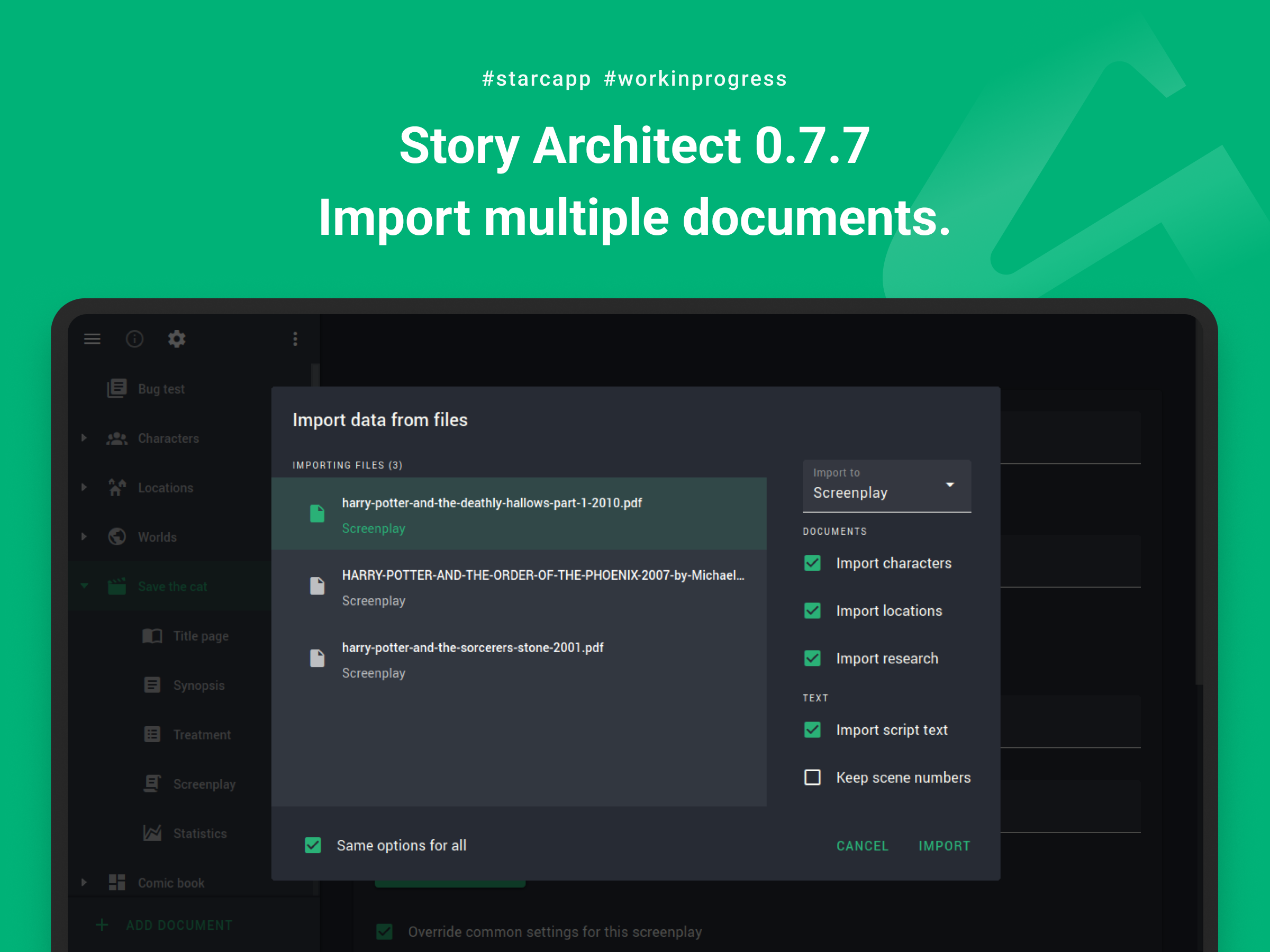
Now, when importing, you can select all the documents you need to import, choose in what form you want to import them and voilà - all of them are already loaded into the project and are at your fingertips.
What's more:
- the ability to import text documents from PDF and DOCX files has been added
- import from PDF now supports underlined and strike through formats
- improved import of scripts from DOCX in some cases
- added import of text documents and folders from KIT Scenarist projects
Other improvements
But that's not all! :)
Some improvements and fixes that are not included in any of the sections above, but are also intended to make the application even more convenient and stable:
- display of subscriptions/available discounts in personal account is improved
- the context menu of documents in the project navigator is improved
- the option to show/hide drafts is removed, because in some cases it led to confusion. Now, if a document has drafts, their list is always shown
- the current draft that is being worked with is automatically selected at export request
- display of drop-down lists when working with a script is improved, now they will not go beyond the right border of the screen
- an option to correct double capitalization is added, now this setting can be disabled
- an option to display page number on the first page is added (this option can be enabled in the parameters of the template used to display the text)
- interaction with the event date in the timeline module is improved (now there is no need to enter the time, you can just enter the date)
- a ban on editing documents that are in the bin is added
- a problem with updating project information on the screen with the list of projects is fixed
- an application crash when adding connections in relationship/location/world map and mind maps is fixed
- a problem with moving characters and locations to the end of the list is fixed
- a problem with copying beats in the screenplay outline/novel plan is fixed
- a problem with pasting text into the novel plan editor from the clipboard is fixed
- a problem with text formatting on page breaks during exporting is fixed
- a problem with exporting remarks in PDF format for Hebrew and Arabic is fixed
- a problem with the width of the editor text box, when the option to display scenery is disabled, is fixed in some cases
- a problem with exiting full-screen mode in Linux family operating systems is fixed.
Why did it take so long?
In a nutshell, we experimented a lot after the New Year....
We started working on showrunner tools. Gradually, an understanding of how all these tools could be built into the application took shape. We even made a statistics module for the show. But, so far, all of this is still pretty raw to be publicly released, so we decided to include them in the next update.
We've also started working on a new presentation module that will allow you to upload PDF files with presentations to your projects, so you can store even more useful information along with your projects.
I hope the next update won't take too long and we'll hear from you again very soon, friends!
Have fun creating!
P.S. And also we finally have an answer to the most frequently asked question for the last six months (it sounds like this: what about the iOS version?) - the first version is ready! All March we'll be testing it and publishing it in the app store. And, if everything goes according to plan, the app will be available for download and installation within 1,5-2 weeks!
Story Architect 0.7.5
Hi there!
Today we have a powerful release with the automatic color selection mode in the draft text, revisions and a bunch of improvements to existing features. Here we go!
Review mode + revisions
So, we finally managed to figure out how to make it convenient to automatically highlight the text of a new draft with color, and also to match all these modes with revisions!
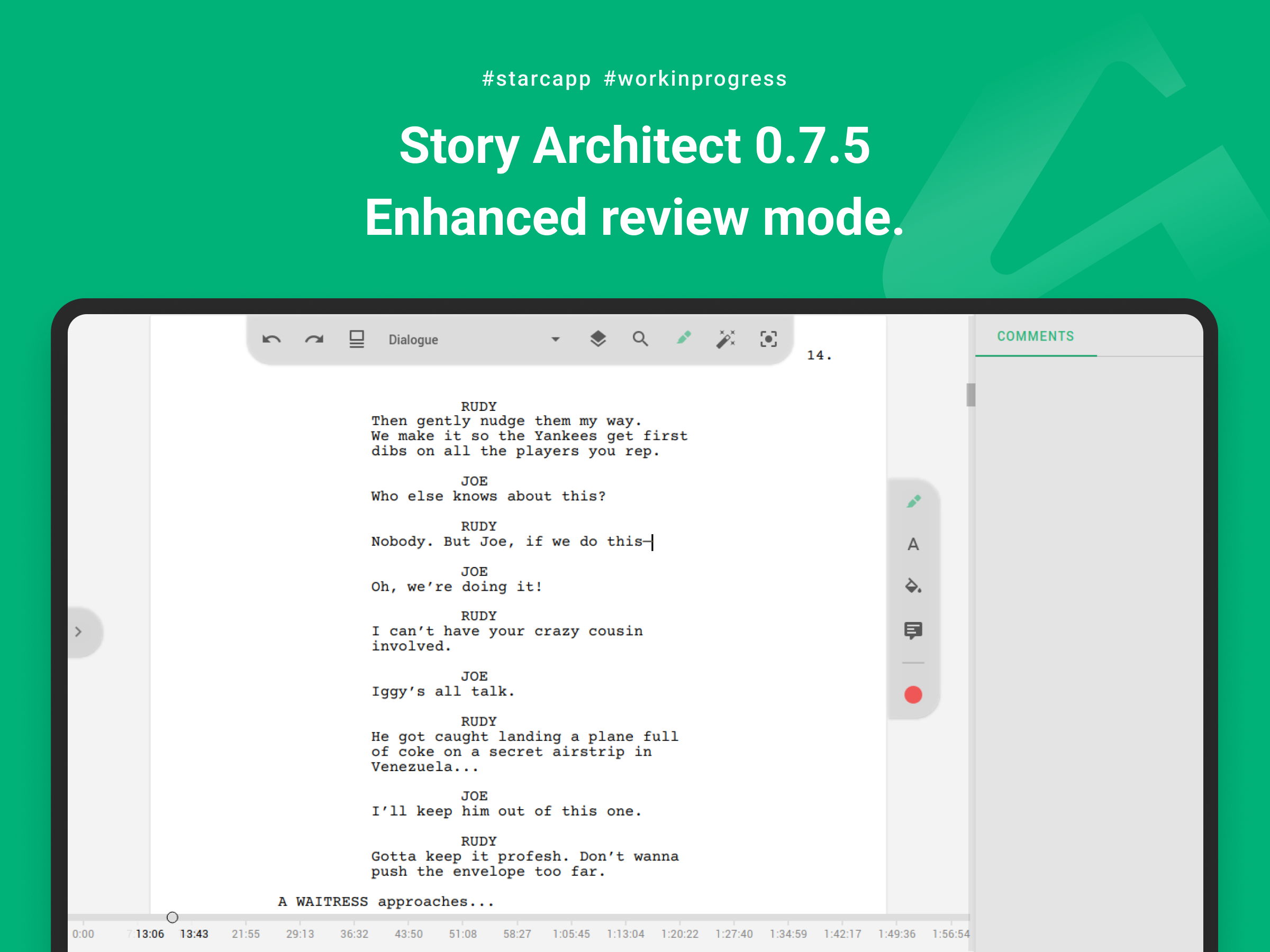
Let's start with the fact that the appearance of the revision panel has changed a bit - a button to select the revision mode is now located at the top; the panel sticks either to the sheet or to the right side of the text editor if the page scale doesn't fit on the screen. Now the revision panel will always be visible, regardless of whether any text is highlighted or not.
Clicking on the top button of the panel displays a toggle between the available review modes.
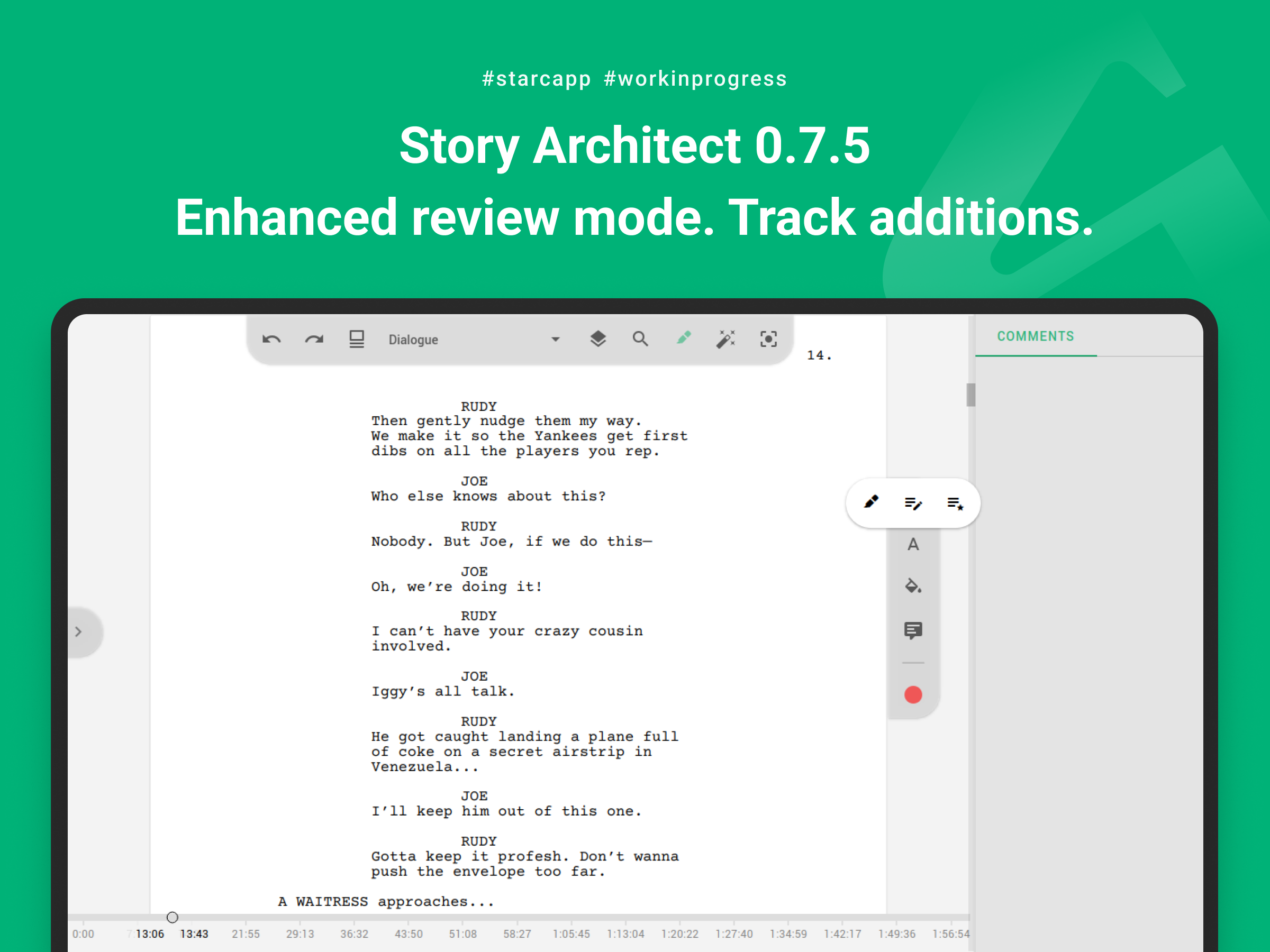
Reviewing - everything is the same as before, in the manual mode you can select a part of text and set its text color, background fill, or add a comment.
Additions tracking - this mode is similar to the review mode except that all added text will be automatically highlighted with a specified color.
Revisions - the revision mode works on the same principle, except that all added text will be marked with the revision color, and the star marks will be added to the margins of the document for each edited line of text.
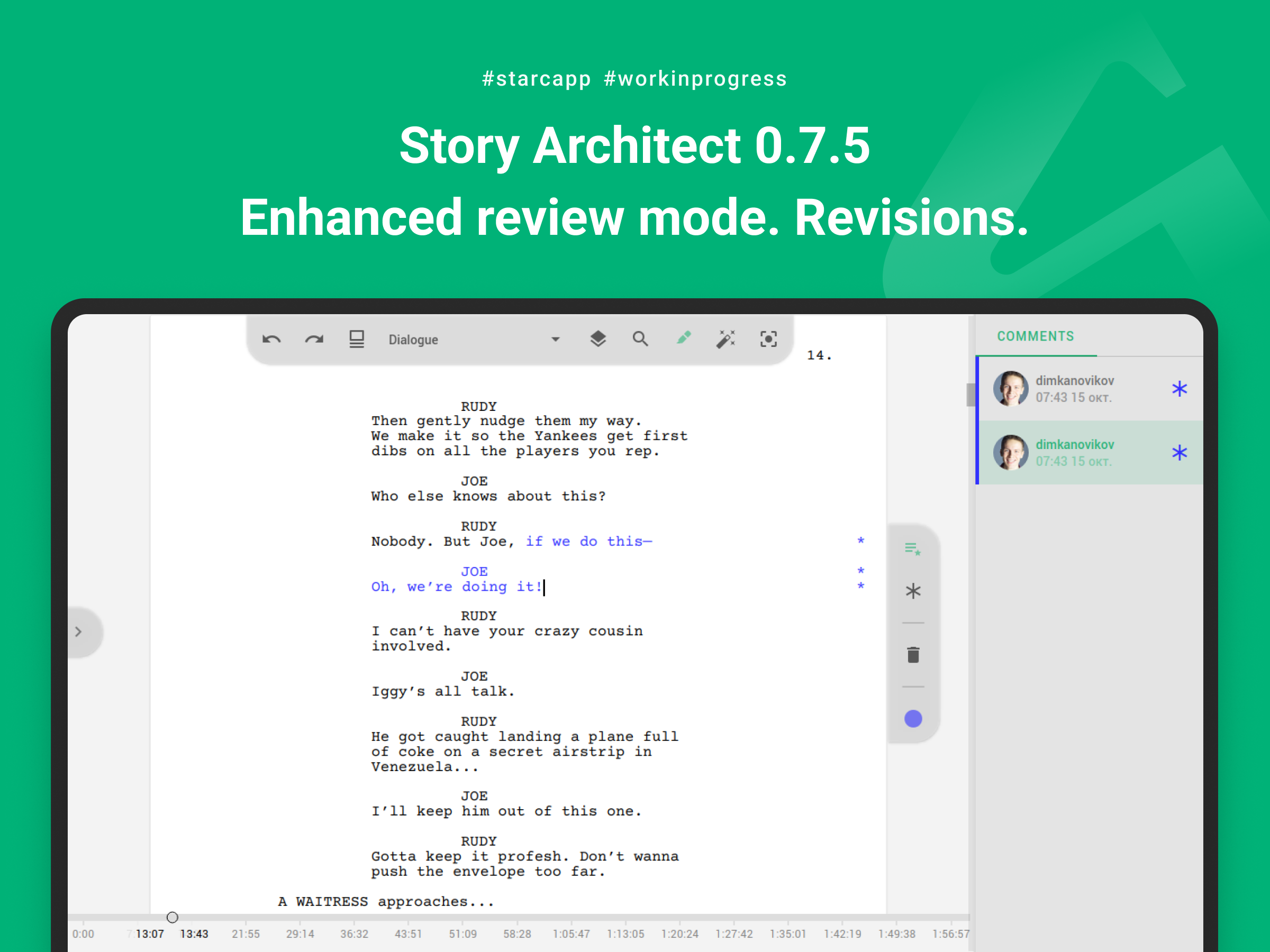
Of course, in the Additions tracking and Revisions modes, any text can be selected and manually marked as an addition/revision.
In addition, there ate hotkeys for working with all review modes (tooltips with specific keys appear when hovering the mouse over each of the panel actions).
Import from PDF improvements
We keep on improving the ability to import scripts from PDF documents and this time we've added:
First, we've fixed a crash when trying to import a document on macOS X.
Second, we've added handling of watermarks and transparent text in the imported document
Thirdly, we've implemented importing color selections.
We're not going to stop here and in the next update we will include a few more improvements to finalize the import of scripts from PDF format.
Search enhancements
In the new update we have also significantly improved the usability of the search bar.
We've added various little things like refreshing the searched text, using hotkeys when switching to search, highlighting text when switching from the search field to replacement and back again.
We've also added the ability to go to the previous search result using Shift+Enter key combination.
Moreover, we've implemented the ability to search for a scene by its number, for this purpose you need to enter the grid symbol (#) and then the number of the scene in the search field.
Other improvements
In addition to all of the above, the new release includes such improvements as:
- the timeline in the script text reactor and the audio playback reactor are moved downward;
- the mechanism of changing character names in scene character blocks is improved;
- rendering of the bookmarks list is improved;
- work of the dialog for creating a new draft is improved;
- work of the algorithm for updating the script text document model when deleting scene titles is optimized;
- a problem with color selection from the screen in the color setting dialog box is fixed;
- a problem with detecting remarks when importing text from .fountain format is fixed;
- a crash when one word is highlighted in color and it is selected by double-clicking with the mouse is fixed;
- a crash when you rename/delete a project file that is in the list of projects on the start page and then try to open it is fixed;
- a problem with loading notifications of unauthorized user is fixed.
That's the news, guys.
Enjoy your new features! And see you soon!
Story Architect 0.7.4
Hi, guys!
We finally got our hands on releasing an update to the desktop version! And today we're happy to publish Story Architect 0.7.4, which in addition to innovations like exporting specific drafts and a quiet offline mode, will give you the opportunity to feel like Santa Claus!
Exporting a specific draft
Starting today, the ability to export specific drafts of scripts (novels, comics, plays and audio dramas) is now official :)
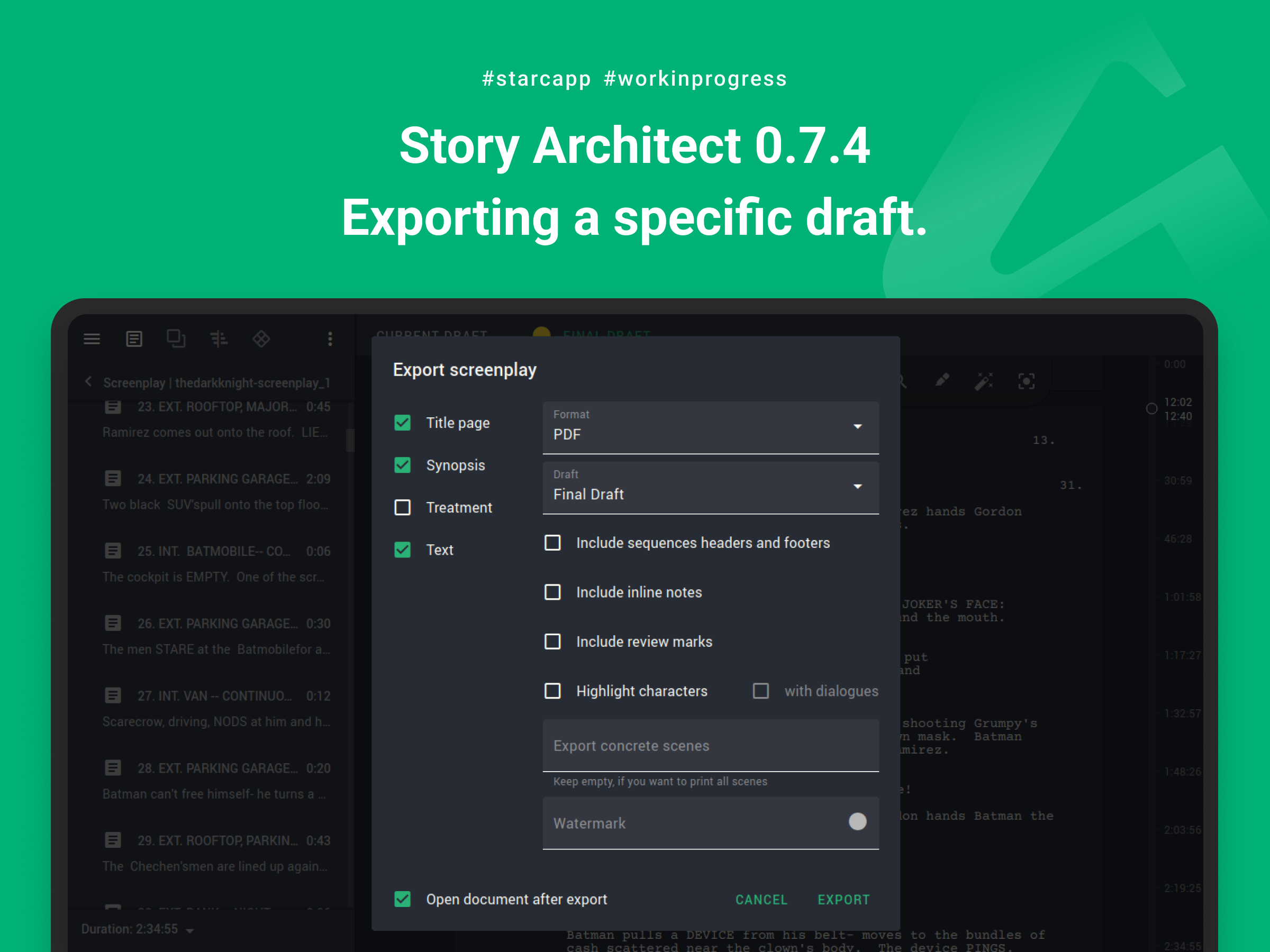
While before it was more of a bug than a feature (you could export a draft if it was open on the screen and export it at that moment), now, if there are several drafts in a document, you will be able to specify which draft you want to export.
Import from PDF
Yes, scripts can now be imported from PDF documents as well.
There are a few nuances that will be useful to know:
- only text documents can be imported, i.e. documents in which you can select text with the mouse when viewing. PDF documents with scanned images cannot be imported;
- at the moment you can import only text, without editorial notes (this will be improved in a future version);
- password-protected documents and documents with watermarks over text cannot be imported yet either (but we plan to add this in later versions).
Apart from that, it should work the same way as importing from any other documents.
Updated personal account
In the new version you will find a significantly redesigned personal account.
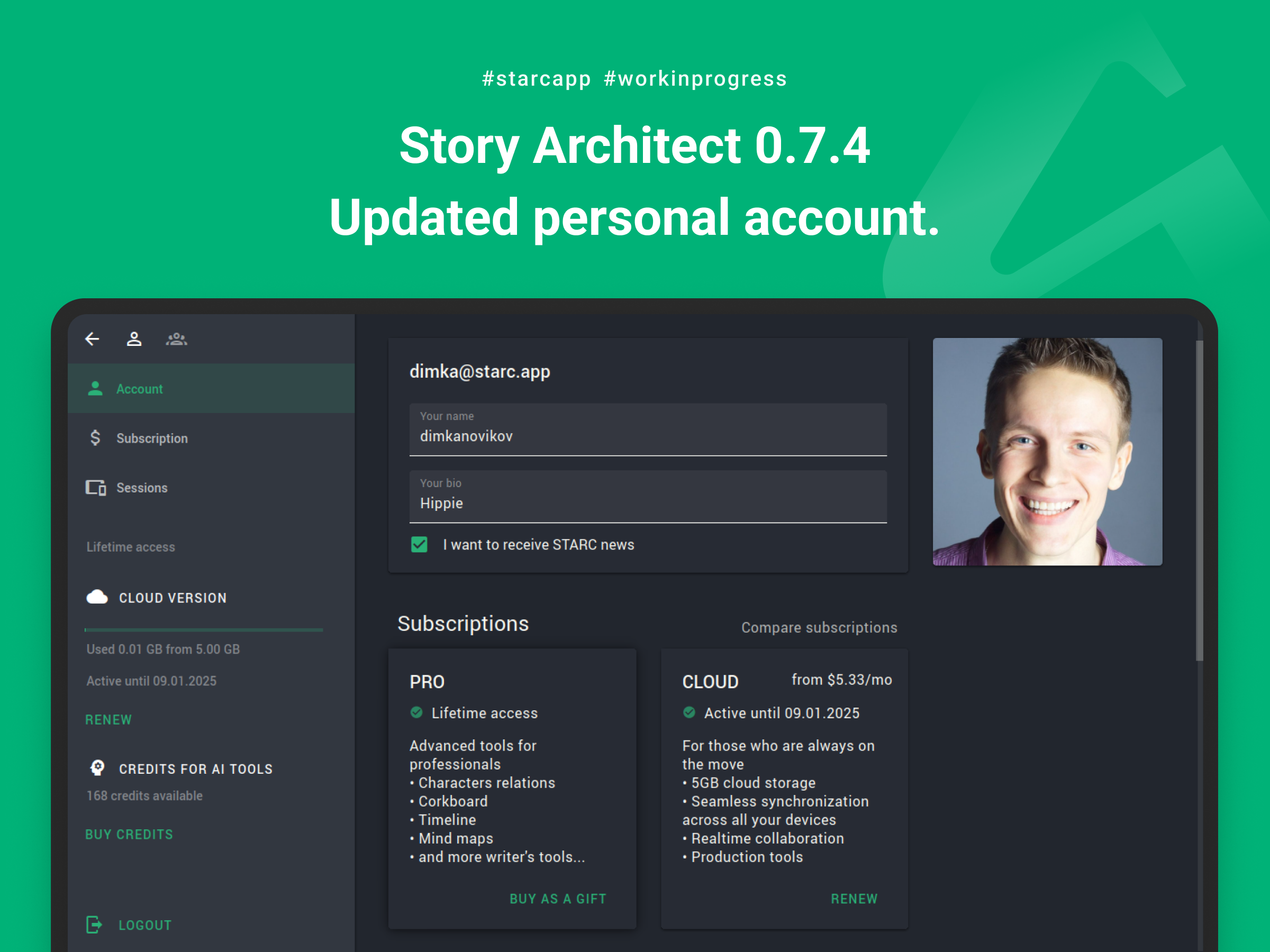
We tried to make it as simple and understandable as possible. We have removed some of the duplicated buttons. We made the display of the current subscription more user-friendly. We added the ability to compare subscriptions right in the application. And also improved the display of information about current sessions.
Subscription as a gift
So, who wanted to try themselves as Santa Claus? You are welcome!
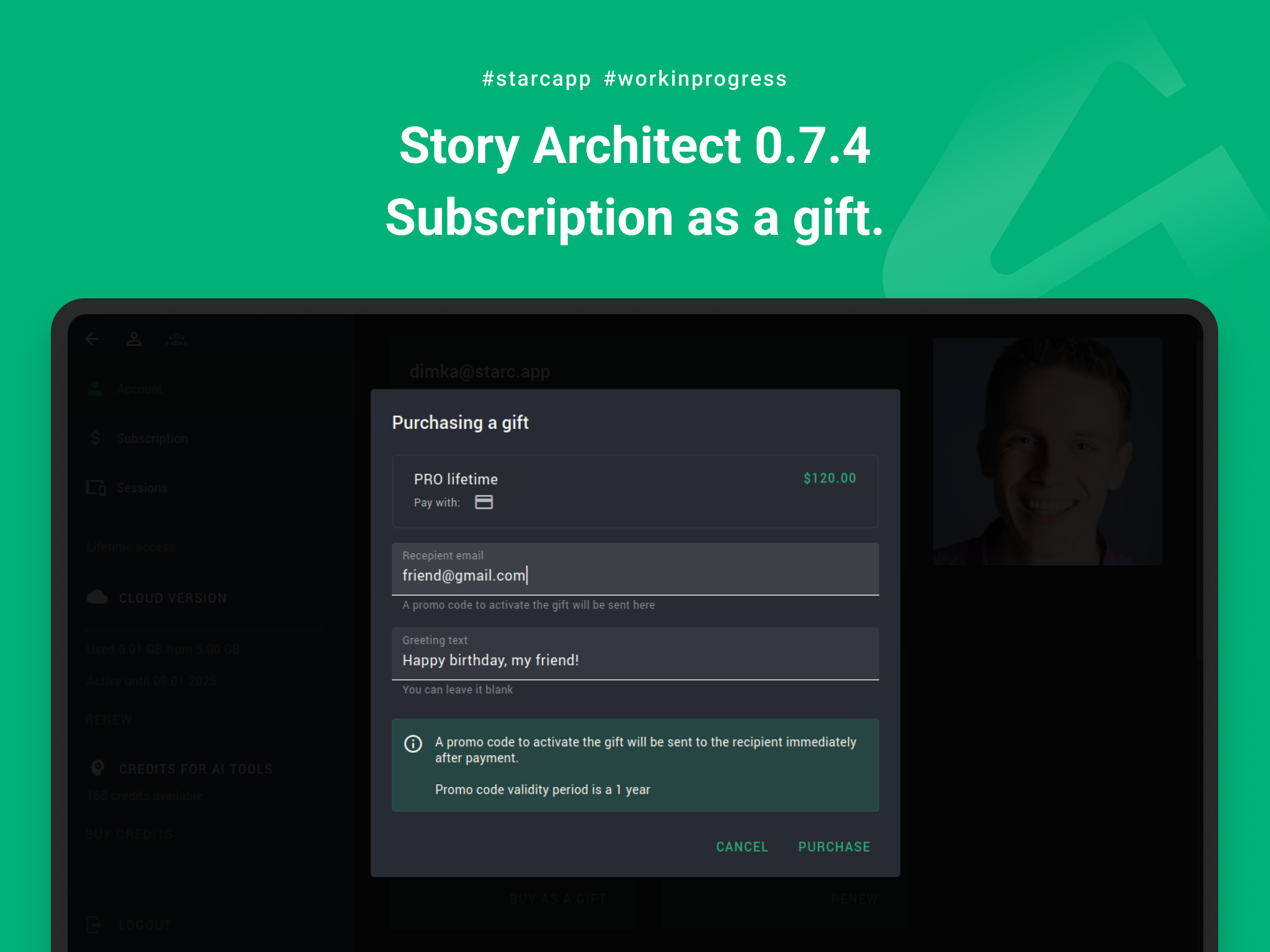
Recently, we have received many questions about how you can gift a STARC subscription to a colleague or a friend. And now you can really do it yourself!
In your personal account, in the subscription purchase dialog, you can buy a subscription as a gift. After that, you will need to specify the e-mail of the recipient of the gift and congratulations message, and we take care of the rest of the work.
The gift will come to your e-mail in the form of a promo code, which you can use in the application by activating it during the year.
Other improvements
We also worked on improving the stability of the application, fixing various issues and making it a little more convenient.
That's why the new version also includes the following improvements:
- a quiet mode for the server connection indicator is added - now, if the application cannot connect to the server for more than a minute, the distracting, constantly spinning indicator will turn into a less annoying icon of no connection;
- a new imported document is now highlighted in the navigation tree so that it is immediately clear where it was imported to;
- behavior of the toolbar of paid modules after activation of the sub-toolbar is improved;
- an application work with large text documents (scripts, novels, etc.) is optimized;
- a problem with deleting characters and locations when renaming them is fixed in some cases;
- an application crash when moving locations in the project navigator is fixed;
- a problem with displaying hotkeys in the quick formatting panel is fixed;
- a problem with displaying tooltips in context menu items is fixed;
- a problem with incorrect size of the color selection drop-down window when setting up a custom theme is fixed;
- a problem with exporting documents without editorial notes, when there are still color highlights in the text, is fixed;
- an issue with launching the Windows application installer is fixed in some cases.
One more thing you should pay attention to - we have slightly changed the logic of saving font sizes in the front page to ensure compatibility with the mobile version, so if you used non-standard sizes for fonts on the front page, please check how they look now. They will probably need some tweaking.
That's it! Have a productive day, friends!
See you soon!
Story Architect 0.7.3
Hello, darlings!
Today we are pleased to present you a new version of Story Architect 0.7.3, which includes a lot of improvements and something new!
Improved import
Starting with version 0.7.3 we are introducing the ability to import not only scripts, but also documents of other formats.
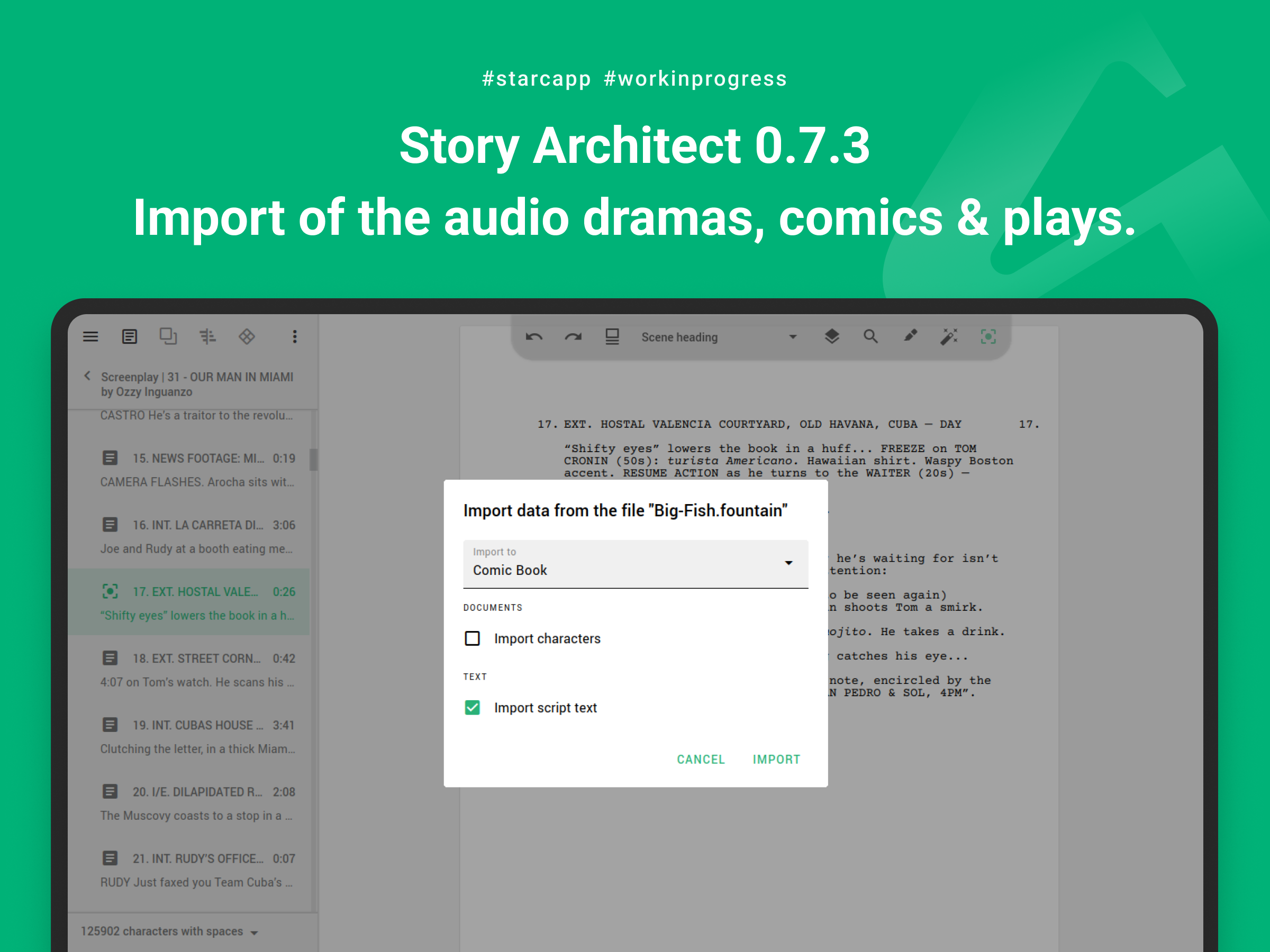
At the moment, importing novels, comics, plays and audio plays is limited to markdown and fountain formats, but we'll expand this list over time so you can bring your work into the app from any other program.
Fountain format for comics, plays and audio dramas
The new version has advanced import and export capabilities related to the fountain format (you can read more about this format via this link). Your scripts for comics, plays and audio dramas can now also be exported to and imported from this format.
In addition to all the conveniences that the fountain format provides, this new feature adds an unprecedented ability to convert scripts from one format to another in Story Architect! To do this, copy the text of your script right in the program and paste it into the comic book editor. As a result, you'll get a document adapted to the comic book format in seconds! The same trick will work for all other script formats (screenplay, comic book, audio drama, stage play)!
Other improvements
As with every release, we have done a lot of work which is not so noticeable at first glance, but is designed to noticeably improve the quality of the application.
Thus, in the new release:
- the ability to make line breaks in the expanded character/location profile fields is added;
- the ability to sort lists of characters and locations alphabetically is added (via the context menu in the project navigator);
- work of page splitting feature is improved in the script text editor;
- work of the application at the moment of loading missing fonts at the startup is improved;
- tooltips with hotkeys to the drop-down list of text document formats is added;
- "Expand/Collapse All" options for document navigator is added;
- interface of the session list is improved in the personal account;
- interface of the dialog box for creating a new story is improved;
- export and import in fountain format now also support double dialogs;
- KIT Scenarist script import now supports correct import of scene descriptions;
- the ability to display scene/word/character counters is added to the navigator for comics, plays, audio dramas and unformatted text documents;
- the work of the algorithm of automatic corrections on page breaks is optimized;
- an application crash when trying to assign a scene/folder/act title to a text in a split block on a page is fixed;
- a problem with displaying the current scene in the script/novel navigator when switching between search matches in the text is fixed;
- a problem with deleting text from the hidden scenes after replacing all occurrences with the activated isolation mode is fixed;
- a problem when a script is imported even though the corresponding option has been disabled is fixed;
- a problem with moving the text editing cursor to the end of the document using hotkeys, if the last scene contains beats, is fixed;
- a problem with creating conflicting versions in local documents, when the project has been saved from the cloud, is fixed;
- a problem with copying scene resources together with the scene in the script breakdown module is fixed;
- a problem where in some cases, after deleting the text of acts/folders, there is an empty paragraph of the deleted act/folder's ending that could not be deleted, is fixed;
- a problem with rendering the timeline background is fixed in some cases;
- a problem with displaying the correct beat mapping/hiding hint in the script/novel text editor is fixed;
- a problem with saving template settings when switching template units of measure is fixed.
Wow! That was powerful! We hope you will like all the improvements and work with the application will become even more pleasant and productive.
Well, we are going to the next level of this exciting game and are already preparing the next update. See you soon, friends!
Story Architect 0.7.2a
This is a patch-release which fixes app crashes on text selection, or copy/cut in the novel text module.
Story Architect 0.7.2
Hi friends!
We have a new stabilizing release of Story Architect 0.7.2 ready and we want to give it to you ASAP, because you haven't seen a better version yet :)
Timeline Module Improvements
In this update, the timeline module has received a couple of improvements:
Firstly, you can now set not just the start date of scene events, but also specific time.
Secondly, you can now adjust the timeline scale to work with it not only within years and months, but even within specific days and hours.
And thirdly, we've improved the visuals of the timeline display to make it a bit more comfortable to work with.
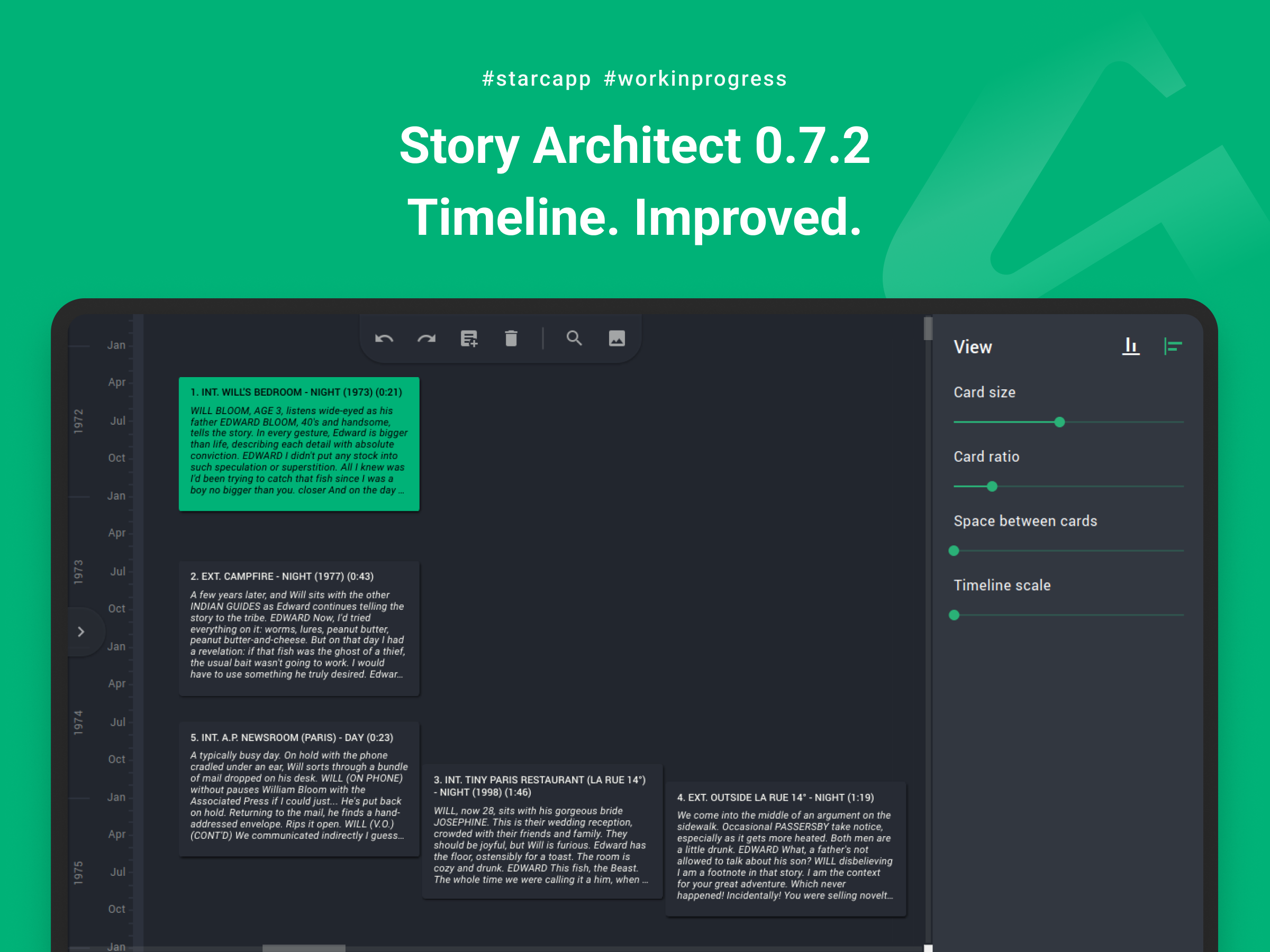
We've also adapted the timeline module for novels!
What else?
In addition to improvements to the timeline module, the new version comes out with the following improvements:
- the ability to export a novel in markdown format is added;
- an item allowing to export a selected document is added to the context menu of project documents;
- the ability to export a comic book, a play and an audio drama in fountain format is added;
- bookmarks detection when importing files from KIT Scenarist is added;
- script export in fountain and fdx formats is improved;
- outline and plan work is improved in terms of beat editing (adding/deleting line breaks and other operations);
- the list of available actions of the context menu of the project navigator when several documents are selected in it is corrected;
- a problem with scroll bars when working with very large documents/charts is fixed;
- a problem with displaying a hint on how to create connections in schemes when opening the corresponding tab is fixed;
- a problem with spontaneous beat changes that made it impossible to undo previous actions is fixed;
- a problem with exporting scene numbers and line parenthesis to PDF is fixed in some cases;
- a problem with text editor toolbar positioning when showing/hiding the quick formatting panel is fixed;
- a problem with loading text of paragraphs with line breaks is fixed.
Congratulations on the new release and see you soon, friends!
Story Architect 0.7.1
Hi friends, long time no see! 🤗
Today we're publishing Story Architect 0.7.1 update with a new timeline module for screenplays, and other improvements.
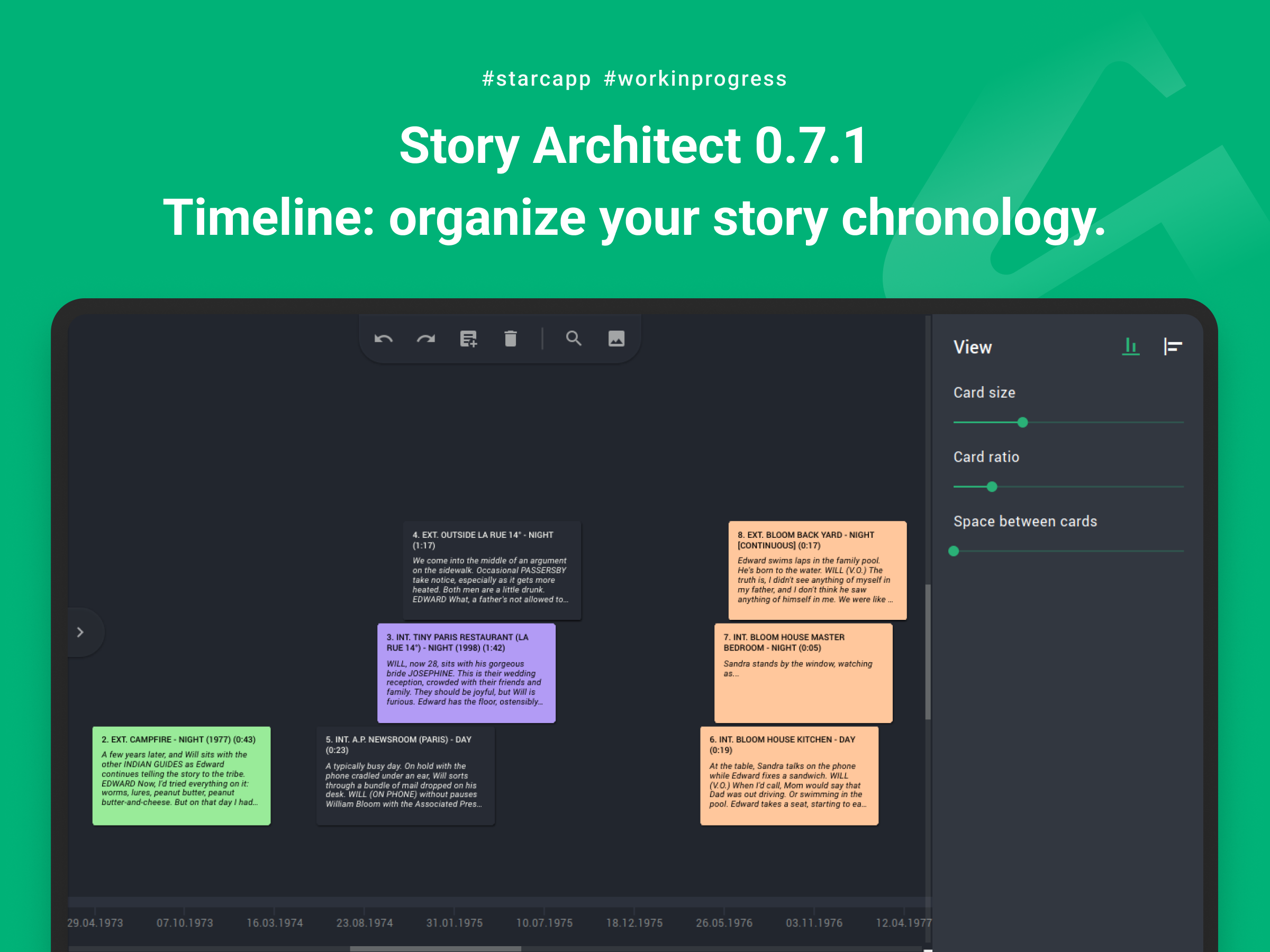
Timeline
It's still quite experimental and only available for screenplays. But it is already quite functional and can help in structuring script events in chronological order without changing the structure of the screenplay itself.
The timeline is available like all other modules through the current document view switch (next to the menu, on the right) by clicking on the corresponding icon.
The mechanism of working with the timeline is quite simple, although it takes a little time to get used to the controls. First, you need to set the date of any scene (there is an additional field "Event start date" in the right sidebar), and then you can move other scenes relative to the previous one, or assign their own dates manually.
You can also place the timeline horizontally, and the chronological order will move from left to right, or vertically, and then the chronology of events will go from top to bottom. You can also switch the mode in the right sidebar when none of the scenes is selected yet.
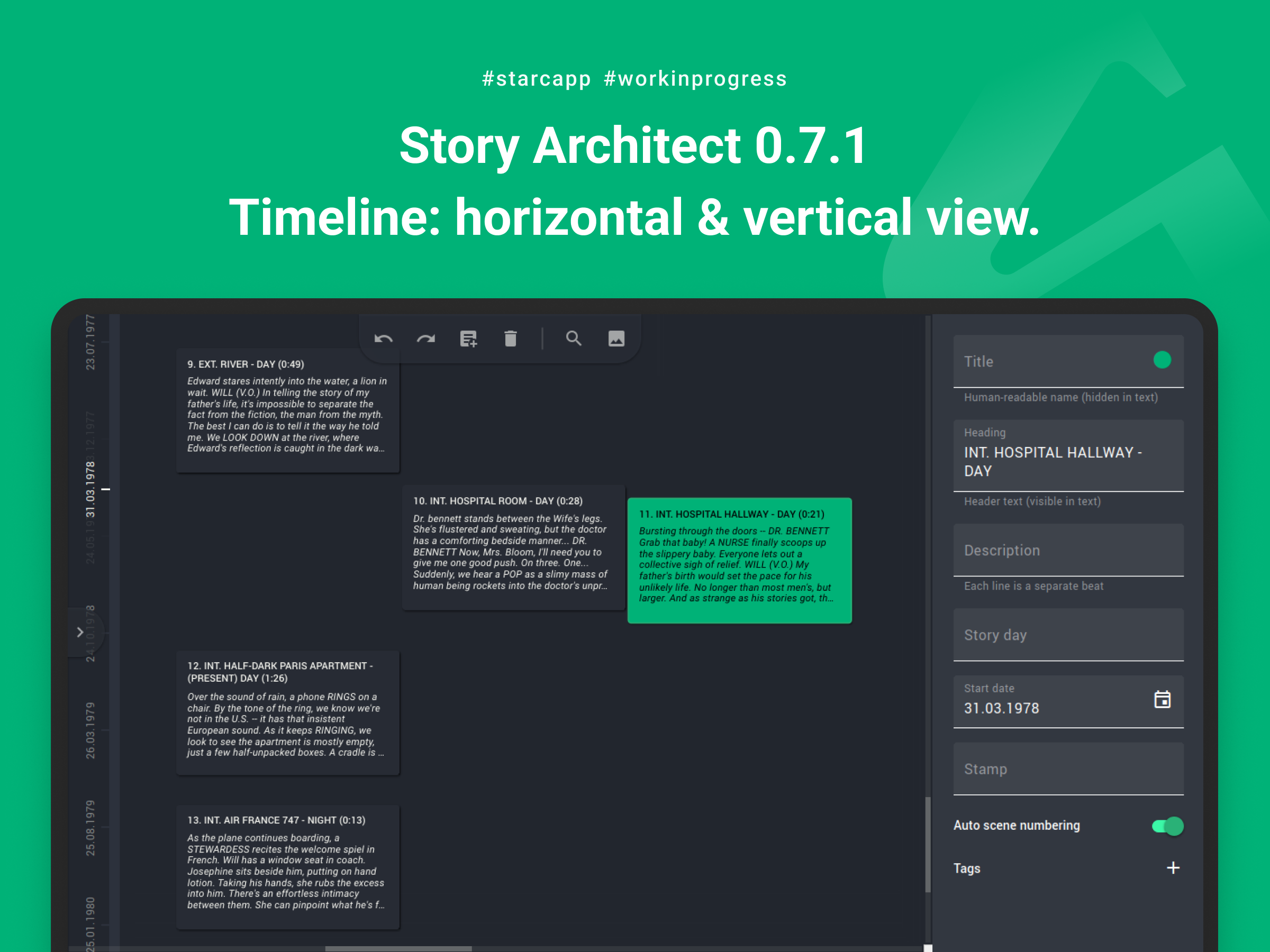
We still have a lot of plans to finalize this module, but we'd also like you to share your ideas about it! Send us your wishes/comments and we will gladly discuss them and implement the coolest and most important ones!
Other improvements
In addition to the timeline module, a lot of work has been done to stabilize the application (which as always took the lion's share of the update time). Namely:
- "Collapse all" and "Expand all" items are added to the context menu of the project navigator;
- the ability to open TXT files in fountain format is added for better compatibility with other applications;
- cut/copy operations in a paragraph with no selected text now apply to all text in the paragraph;
- the ability to export plain text document in Markdown format is added;
- the ability to set location color is added;
- comic book design templates with script-style dialogs are added;
- main application menu is added in the top bar for macOS;
- user experience when searching text documents is improved;
- the drag-and-drop operation of text within a document is improved;
- novel generation from a script using AI and vice versa is greatly improved;
- small improvements in exporting formatted text in fountain format are done;
- a problem with deleting a group of selected documents via context menu is fixed;
- a problem with exporting a storyboard and plan in DOCX format is fixed;
- a problem with exporting scene numbers in PDF format is fixed in some cases;
- a problem with displaying co-author cursors in different documents is fixed;
- a problem with updating text format in a block after deleting a part of text is fixed;
- a problem with restoring the window state after a crash, when the right pane expanded to the full width of the window, is fixed;
- a delete button on the keyboard in the mental maps, character relationships, and location map modules on macOS was fixed;
- a lot of smaller issues and bugs are fixed too.
Thank you for being with us, friends! Thank you for helping to make the product better every day! Thank you for your ideas and criticism! I'm glad that we have a great community of caring authors who realize that only together we can create a better tool that can bring tremendous value to your creative journey!
We'll keep doing our thing, so download the fresh version and try out new features and improvements!
See you around, darlings :)
Story Architect 0.7.0
Hi, friends! Here we are! :)
And not empty-handed, but with a new Story Architect 0.7.0 release!
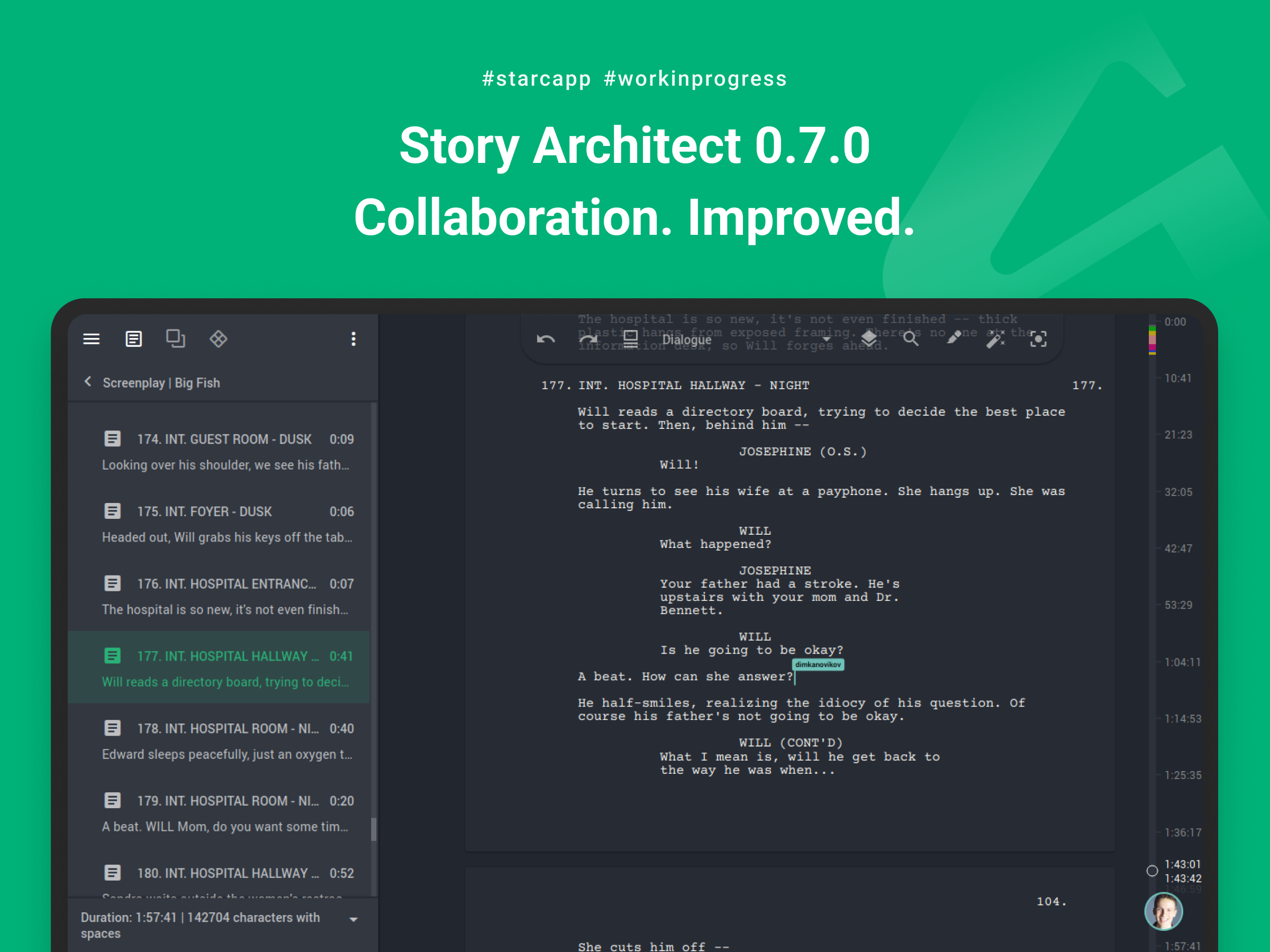
We understand that you were waiting for so long, but we decided to start the year mainly with stabilization, and fixing bugs often takes a lot of time. Of course, there are a couple of new features too, but we'll talk about them later.
Improvements and fixes
In the new version we have done a lot of work on bugs occurring while working in co-authorship mode:
- a display of the process of uploading a large document from the cloud is improved;
- the ability to go to a document and its specific part that a co-author is editing right now by clicking on his avatar is implemented;
- a problem with updating the cloud project poster is fixed;
- a crash when exiting the personal account, when a cloud project is opened, is fixed;
- a problem with displaying irrelevant cursors of co-authors is fixed;
- problems with updating the list of commands in the dialog of creating a new project are fixed.
We also worked on improving the stability of the application and its usability:
- when creating a new project, a default name is displayed, so that you can start working right away, bypassing the stage of coming up with a project name;
- the speed of comics, plays and audio drama modules with large scripts is optimized;
- the appearance of the character line module is finalized;
- elements downloading in the script breakdown module is improved;
- a read-only mode in the modules of character relationships, location map, worlds, and mental maps is improved - now if the user cannot access these modules, he/she will be able to view information about each element of the scheme.
- a problem with creating a folder for a new project if the selected folder was not created on the device earlier is fixed;
- a problem with customizing header fonts for a synopsis is fixed;
- a problem with applying some application settings when they are turned off/on repeatedly is fixed;
- an issue with displaying writer statistics after a long break from the app (30+ days) is fixed;
- a problem with placing external documents inside the list of characters/locations/worlds, which led to the application crash, is fixed;
- a problem with exporting a novel plan is fixed;
- a default keyboard shortcut for text notes is changed to Ctrl+Shift+0 (for macOS Command+Shift+0);
- an issue with duplicate characters and locations being displayed in the script breakdown navigation is fixed;
- an application crash related to loss of focus in the new draft creation dialog is fixed;
- a problem with jumping act and sequence titles when working with a treatment and script at the same time is fixed;
- problems and application crashes when trying to change a character/location in the script breakdown module, in a situation where some characters/locations of a scene are not saved in the project bible, are fixed;
- a problem with automatic correction of script text on page breaks when there are quotation marks in a line is fixed;
- application crashes when trying to open the character line module for multi-part projects is fixed;
- a problem with saving empty formatting marks for editorial notes, which led to unnecessary undo operations of the last action, is fixed;
- a problem with displaying the quick formatting panel, when some names and hotkeys overlapped with each other, is fixed;
- a problem with the display of scene numbers/decoration remarks when exporting script text as PDF on macOS is fixed.
Project lock file
Now let's get to the innovations!
What is a lock file anyway? It's a file that the program creates next to the project (usually called Project_name.starc.lock), thus showing other copies of the application that the project is currently open, so that it won't be reopened by mistake and changes made in one of the copies won't be overwritten by changes from the other.
After the program terminates, this file deletes itself and now the project can be reopened. But in some cases, when the application crashes, this file remains on the computer and the program does not allow to open the project, despite the fact that no other copies of the application are running at the moment.
In previous versions of the program this file was hidden, so it was not so easy to help the user to fix this issue. Starting with version 0.7.0, the lock file will no longer be hidden and everyone will be able to easily get rid of this error (and we in turn undertake to solve all problems with crashes caused by the application itself).
Exporting locations
In the new version we've added the ability to export a list of locations, as well as a specific location, with all photos and detailed description.
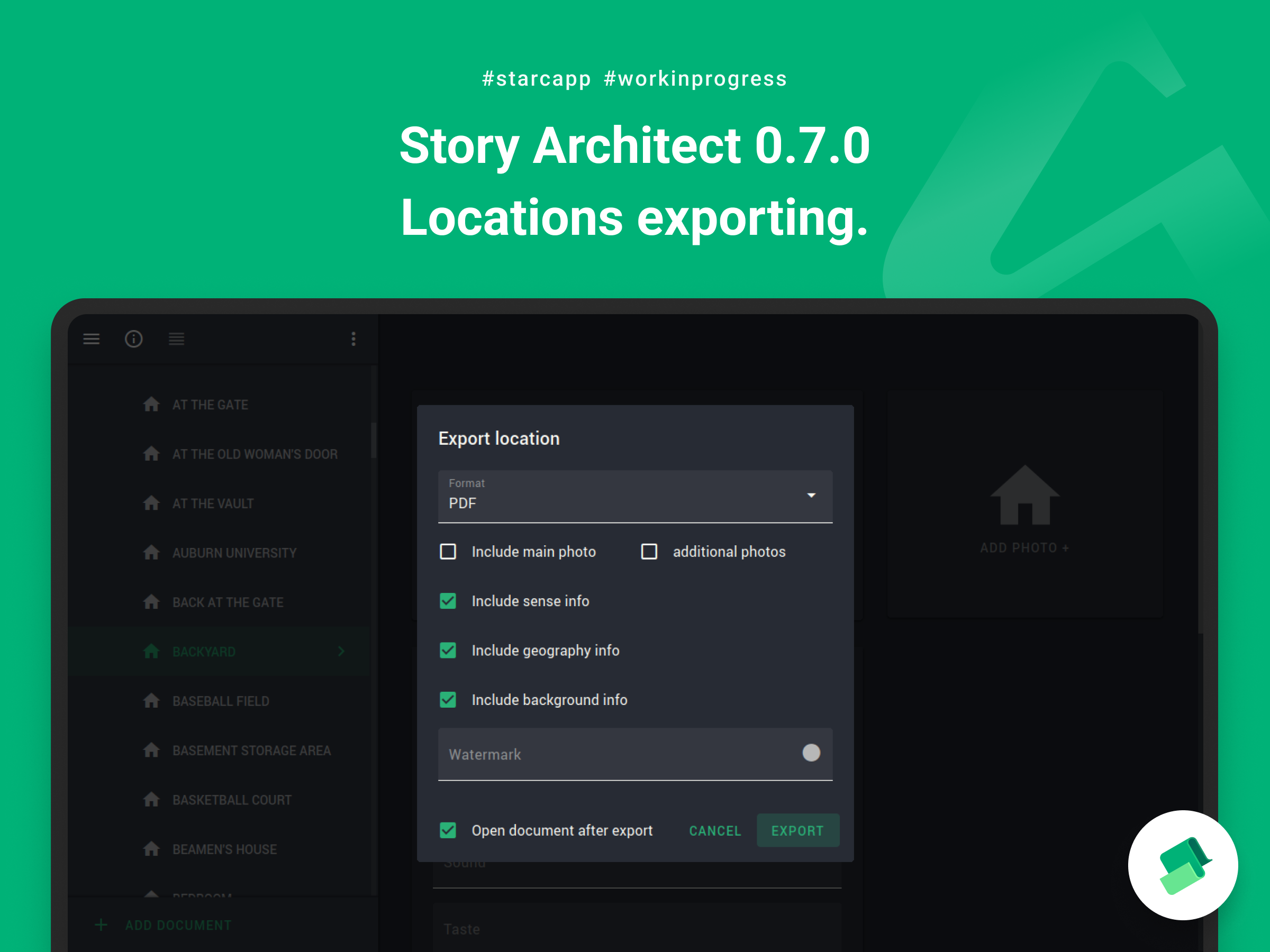
In order to export a list of locations, you need to select "Locations" in the project navigation, and then select the "Export current document" menu item.
To export a specific location, you need to do the same thing, only selecting the desired location beforehand.
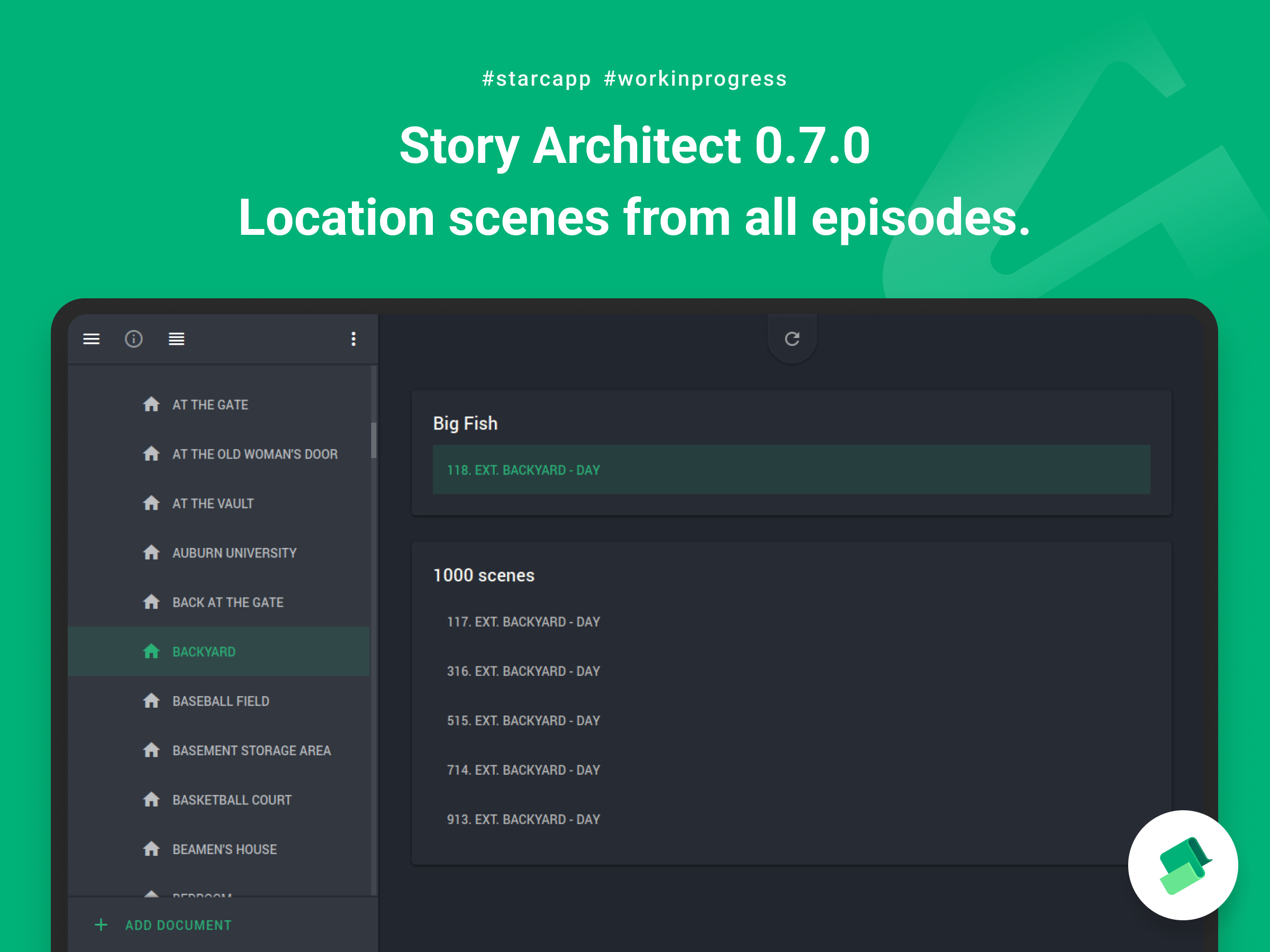
Location Scenes Module
Along with the module of character lines, the module of location scenes has been added as well. Now you can select any location and find out what scenes it is involved in.
Generating a novel from a script and vice versa
The last feature that was included in STARC 0.7.0 is the ability to generate a novel from a script and a script from a novel using the AI assistant.
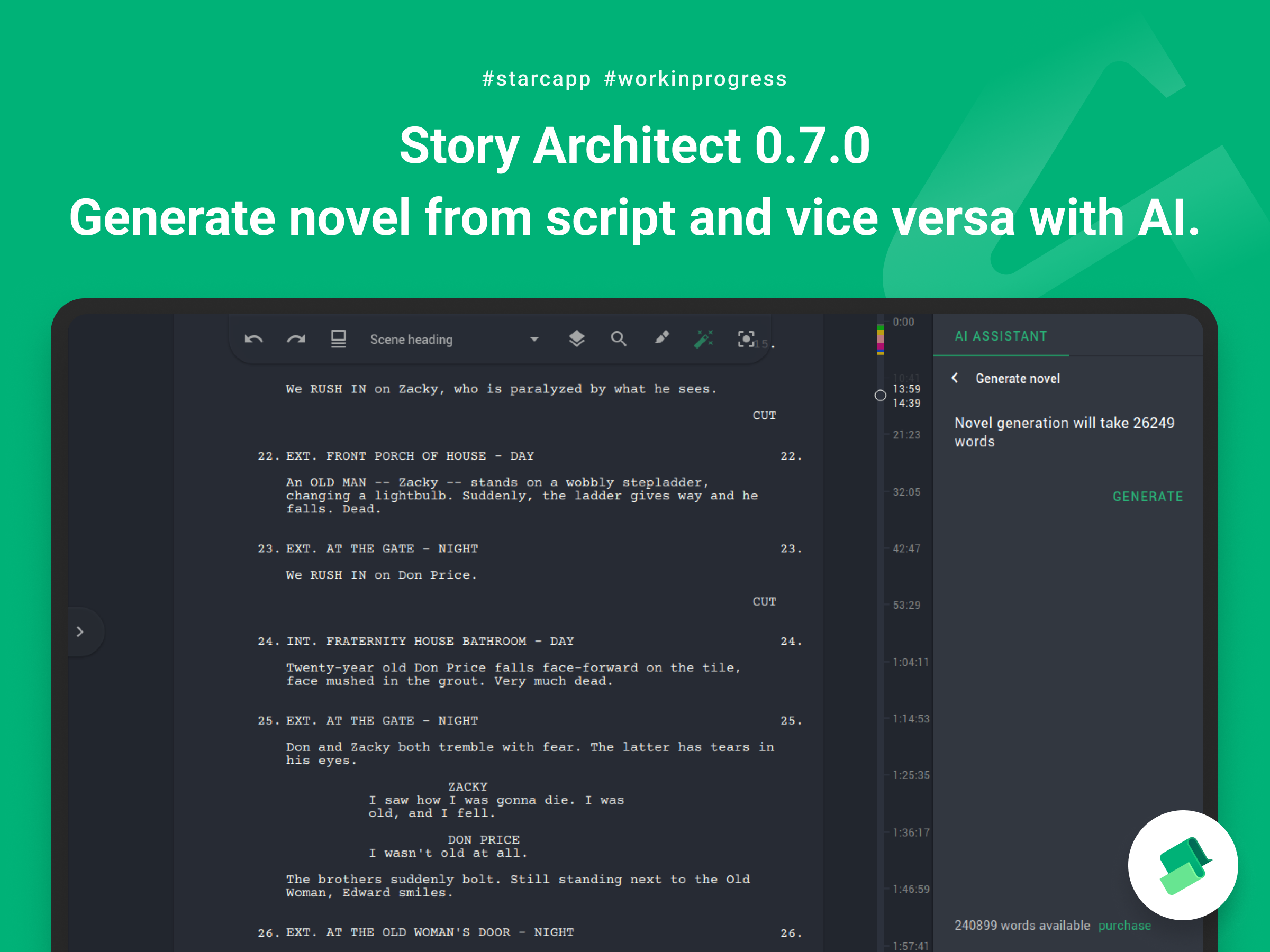
In order to generate a novel from a script, you need to open the AI Assistant panel, select the appropriate option and click the "Generate" button. After the process is completed, the generated novel will be added to your project as a separate document.
To generate a script from a novel, the process is exactly the same. The only point worth mentioning is that for the best quality of the generated script, you need to have the novel broken down into chapters, or even scenes.
That's the way it is, friends! We are slowly coming back, and we will try to please you with new updates more often!
See you soon :)
Story Architect 0.6.4
Hi there, guys!
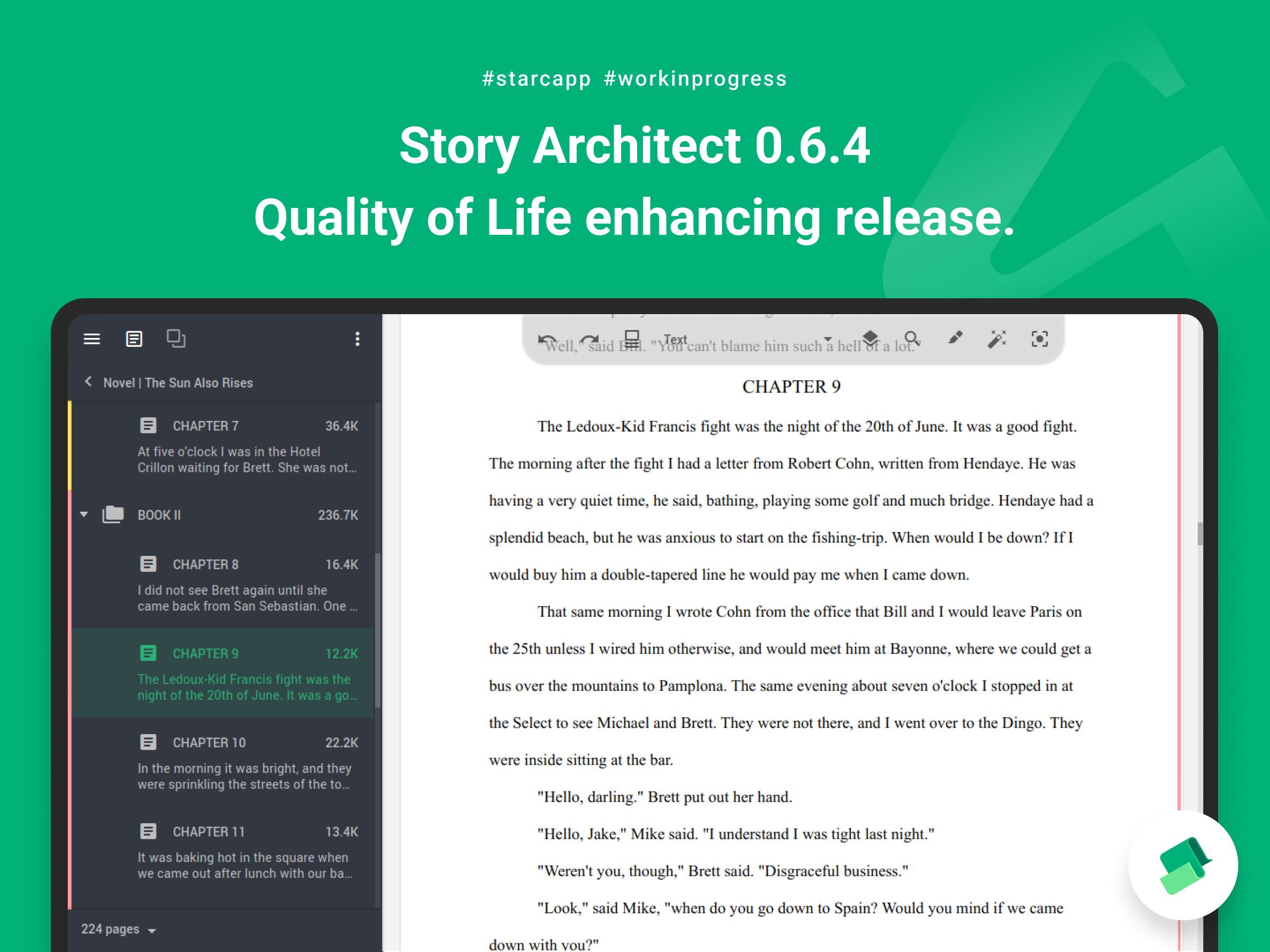
Today we’ve brought you the stabilization release of Story Architect 0.6.4. It includes a bunch of fixes for detected issues and a couple of nice little things.
Without a long introduction, let's see what's included in the update:
- the ability to customize hotkeys for import and export operations is added (Application Settings - Hotkeys);
- display of links in the mental map editor is improved by reducing the area of a cell used to define its borders when calculating the position of links;
- a possibility to choose the type of counter displayed in the novel navigator (by words or by characters) is added;
- work of limitation of entering several spaces in a row is improved;
- when closing and then opening the navigator using the corresponding button, its size is now memorized and correctly restored;
- the last selected document type is saved in the dialog of adding documents;
- new custom scripts/novels design template is now applied automatically at the moment of creation;
- spell check is added to all fields of character, location and world profiles;
- detection of when automatic script text corrections are made is improved;
- a crash on export is fixed in some cases;
- a problem with text clipping / text getting into the input field header is fixed;
- an application freezing when trying to select lines in comic/audio drama/play modules is fixed in some cases;
- a problem with synchronization of cursor position between text and cards after changing the current document is fixed;
- a problem with resetting text formatting when splitting a paragraph into two is fixed;
- a problem with applying formatting to text that joins a previous paragraph after line breaks are removed is fixed;
- a problem with full-width text display when working in plain text mode for the novel module is fixed;
- application crashes when processing characters with two spaces in a row in their name is fixed;
- a problem with character photo generation is fixed for some prompts;
- a problem with launching the application is fixed on Windows in some cases;
- a problem with accent input is fixed on Linux in some cases.
During the last month, we have been trying to publish STARC in the Windows application store (and making improvements to it). So far we have not been very successful, but we will definitely continue this path and next year we’re going to publish our application in both Windows and Apple app stores.
That's how the new release turned out. Have a good time and see you soon!