✨ shamelessly show the world your browsing activity ✨


Show your Google Chrome activity on Discord!
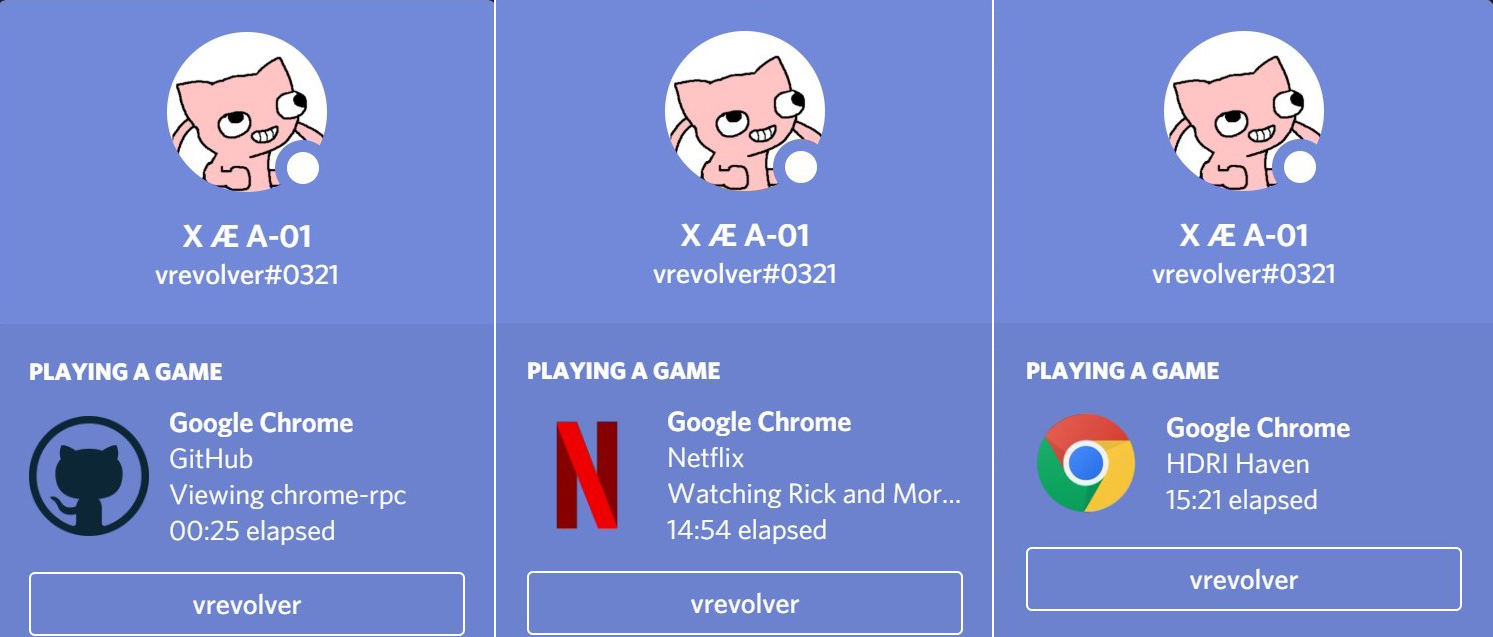
- Download the latest release and extract the
releasefolder - Open Google Chrome and go to
chrome://extensions - Check
Developer Modeat the top right of the page - Click
Load Unpackedand select theextensionfolder in thereleasefolder - Edit
config.jsonin thereleasefolder to change with notepad or any other editor to change configuration settings
- Run
launcher.exein the releases folder to start Google Chrome with Discord Rich Presence - (Optional) Create a shortcut of
launcher.exeand rename it to whatever you like eg: Chrome RPC and change the icon of the shortcut by going to properties
| Website | Custom Activity | Icon |
|---|---|---|
| Discord | none | ✔️ |
| F2Movies | shows browsing and watching | ✔️ |
| none | ✔️ | |
| Github | shows repo | ✔️ |
| Gmail | none | ✔️ |
| none | ✔️ | |
| none | ✔️ | |
| Messenger | none | ✔️ |
| Netflix | shows browsing and watching | ✔️ |
| shows subreddit | ✔️ | |
| StackOverflow | none | ✔️ |
| Twitch | shows watching | ✔️ |
| Whatsapp Web | none | ✔️ |
| Wikipedia | shows article heading | ✔️ |
| YouTube | none | ✔️ |
and more coming soon!
- Fix known issues
- Add update notification
- Some custom activities requires switching tabs to update once the site has loaded
Feel free to open an issue if you think that some things can be done better or even suggest a new feature to be implemented in upcoming releases
MIT © 2021 Bryan Soong